For passengers
Track what is moving, book a ride at a price you agreed to, and send a package across town. MageRide costs you nothing.
See what is coming
Open the map and watch buses and trains move along their routes. If someone has given you access to a private vehicle — a school van, a staff bus — it appears there too. Filter by mode or vehicle type when there is a lot happening.
Book at a price you agreed to
Enter where you are going, pick a vehicle type, and MageRide shows the fare before you commit. Pay the driver in cash or by scanning their code. Nothing is added afterwards and no part of it comes to us.
Send something across town
Choose a size, name who is receiving it, and a driver collects it. Each stage is confirmed with a code, and the recipient can follow the journey in a browser without installing the app.
What it costs you
For rides and deliveries, the fare — paid to the driver. For public transport, nothing. For a private vehicle, whatever its owner has set, shown before you subscribe. MageRide itself charges passengers nothing at all.
How it works
Get the app
Install MageRide, choose your language, and sign in with your phone number and a one-time code.
Open the map
See what is moving near you — buses, trains, and the private vehicles you are allowed to follow.
Book a ride
Say where you are going, pick a vehicle, and see the fare before you confirm anything.
Pay the driver
Cash, or scan the driver’s QR code at the end of the trip. The money goes to the driver, not through us.
What it looks like
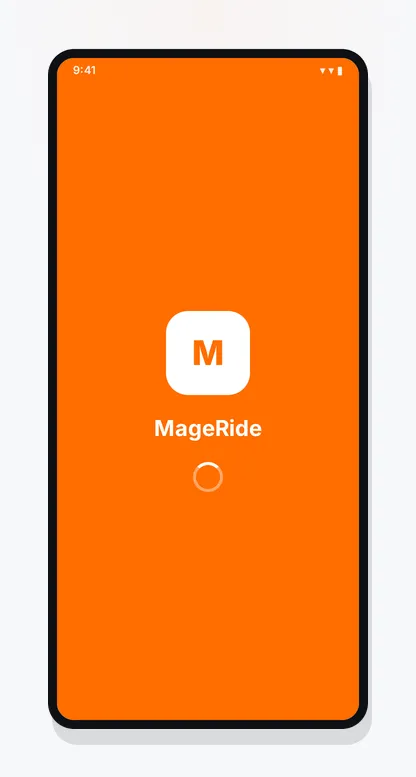
MageRide opening on a passenger’s phone
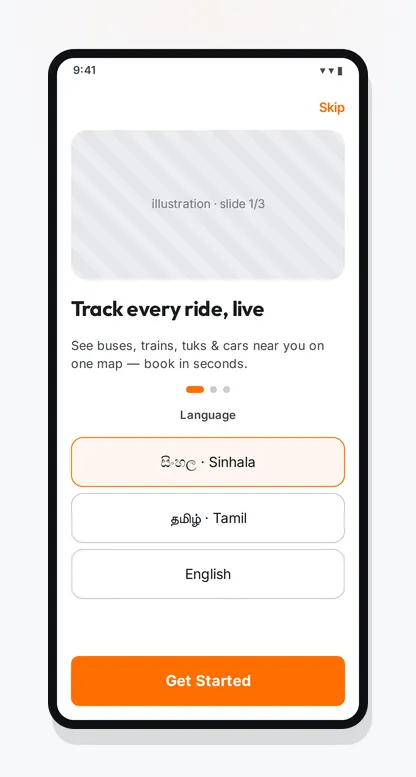
Choosing Sinhala, Tamil or English before anything else
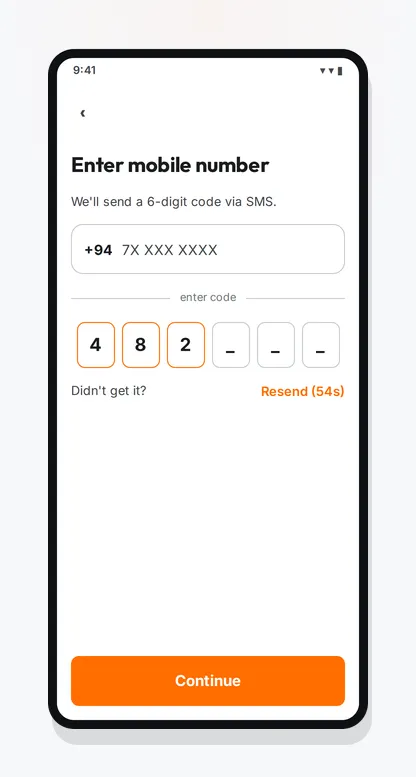
Signing in with a phone number and a one-time code
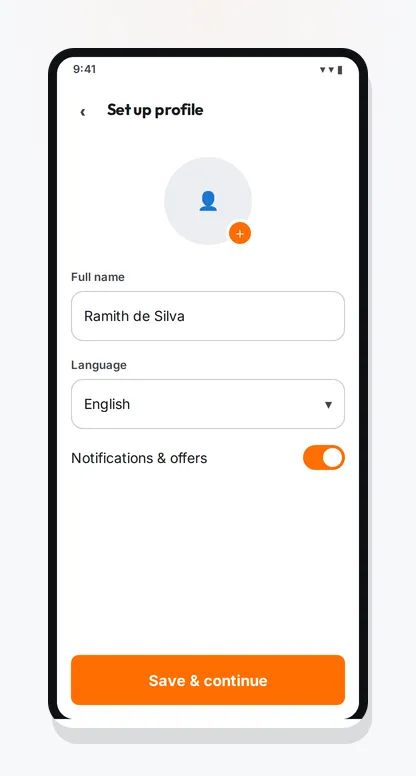
Adding your name and photo to finish your profile
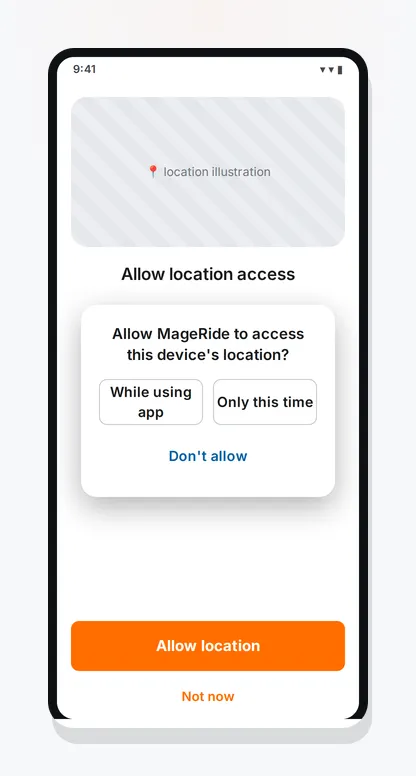
Asking permission to use your location, and saying what for
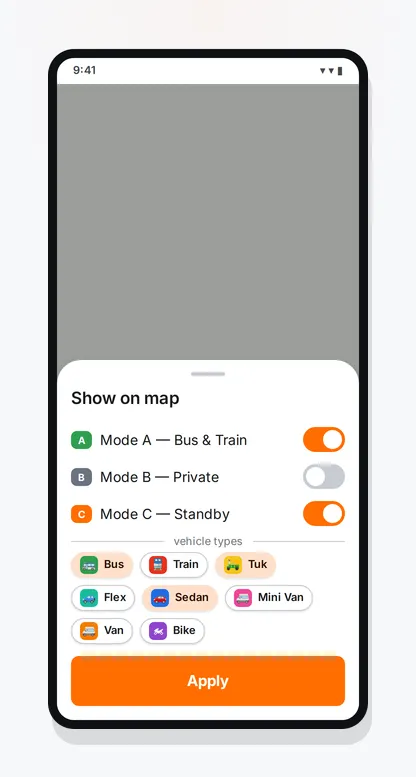
Filtering the map by transport mode and vehicle type
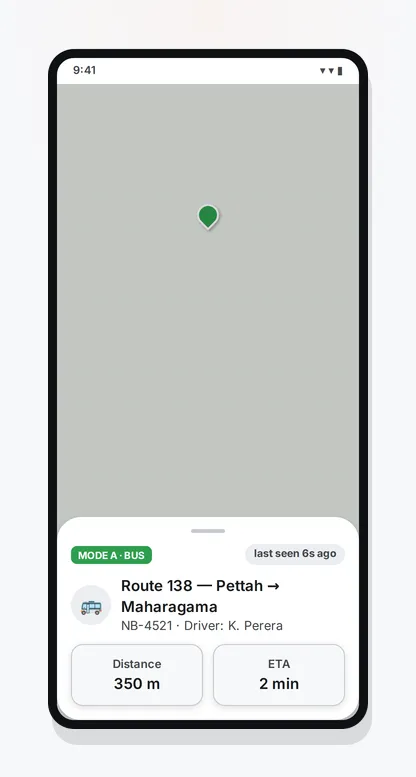
Tapping a vehicle to see its route, its type and where it is
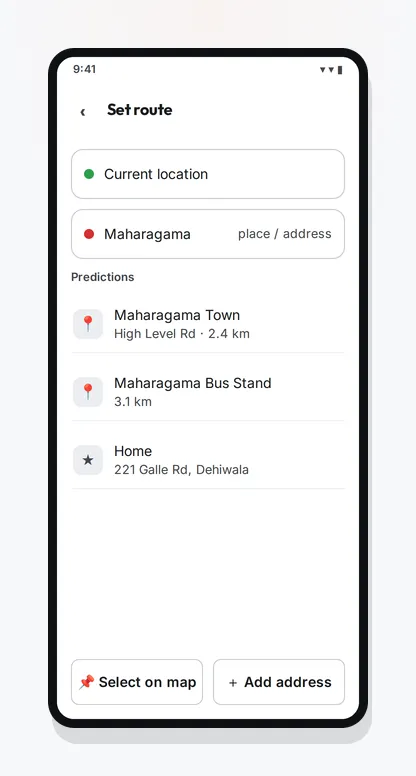
Searching for a place by name, or dropping a pin on the map
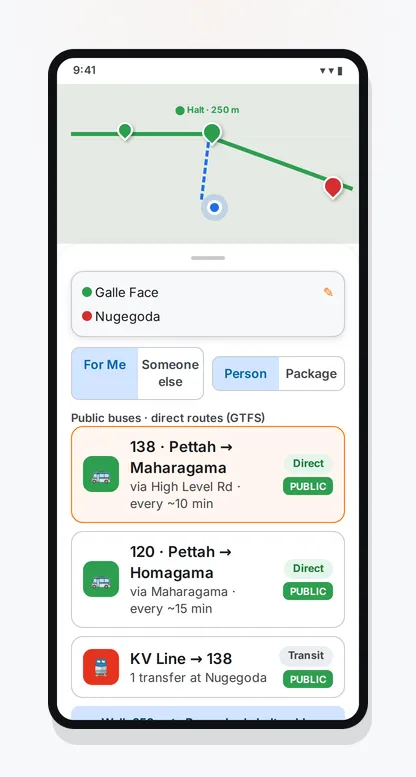
Choosing a vehicle and seeing the fare before you book
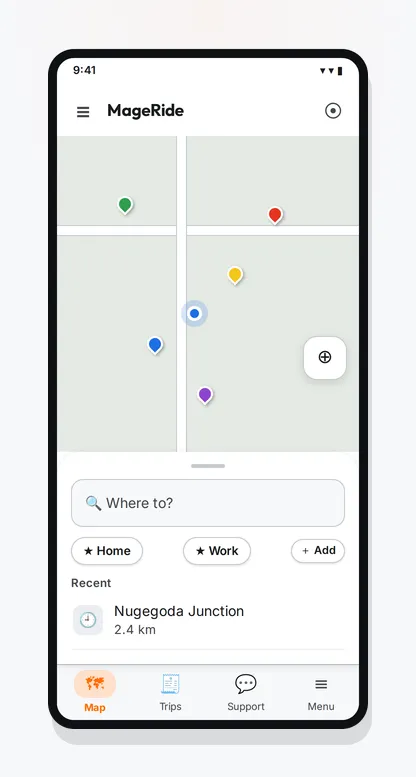
Buses, trains and three-wheelers near you, moving in real time
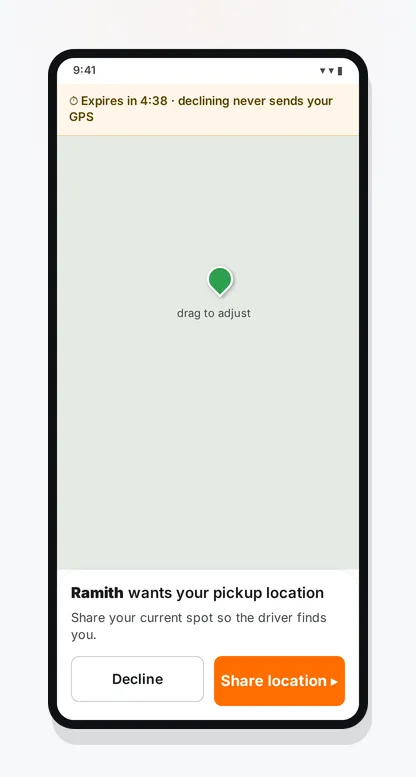
Confirming the pickup when someone books a ride for you
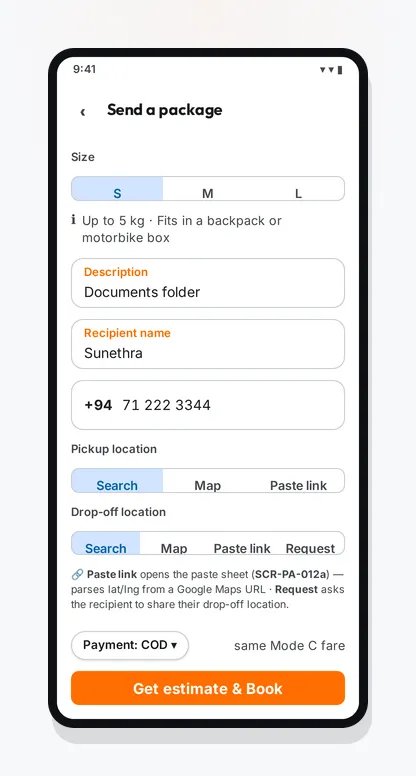
Sending a package — size, recipient and delivery code
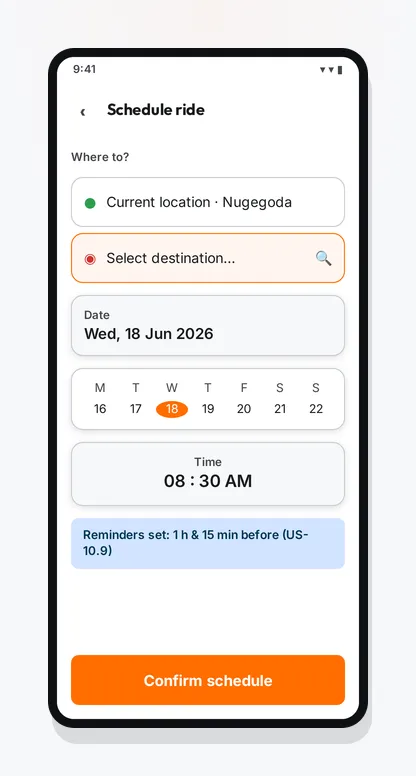
Booking a ride for later in the day or later in the week
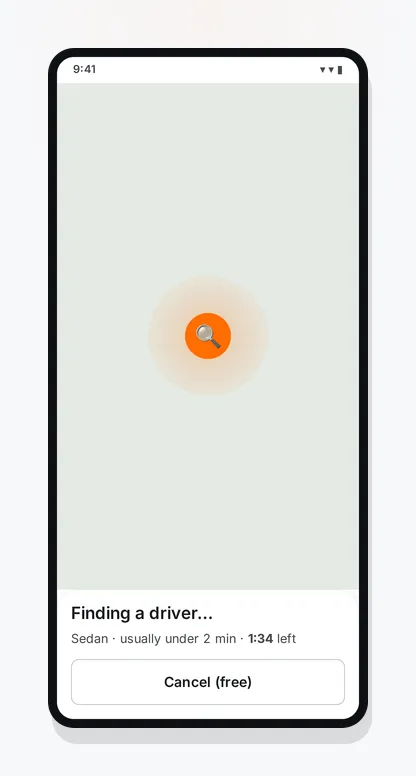
Waiting while nearby drivers are offered your ride
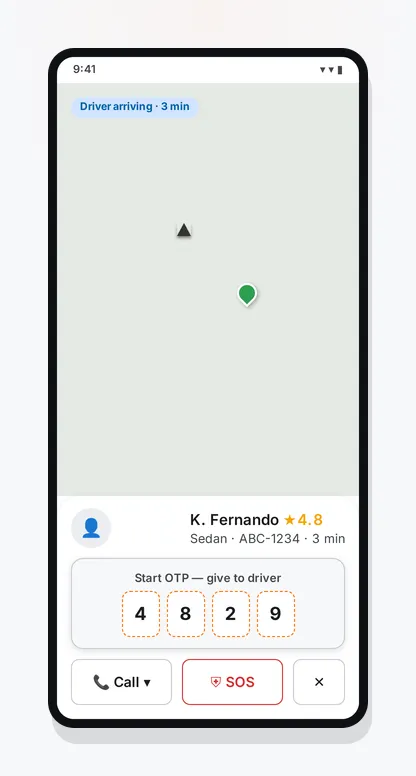
Following your ride, with the driver’s details to hand
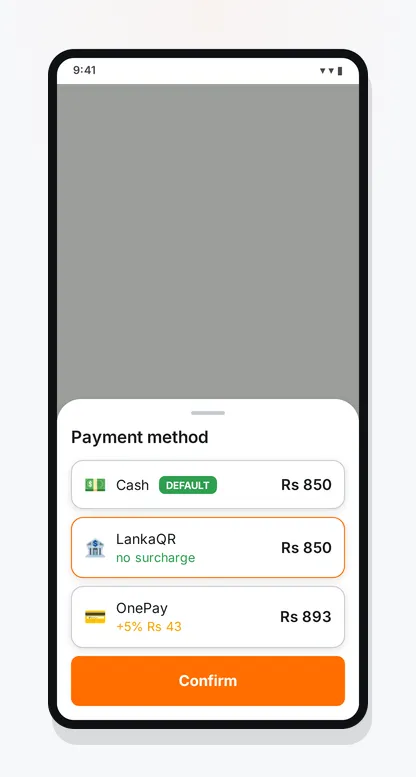
Choosing how to pay — cash or a scan of the driver’s code
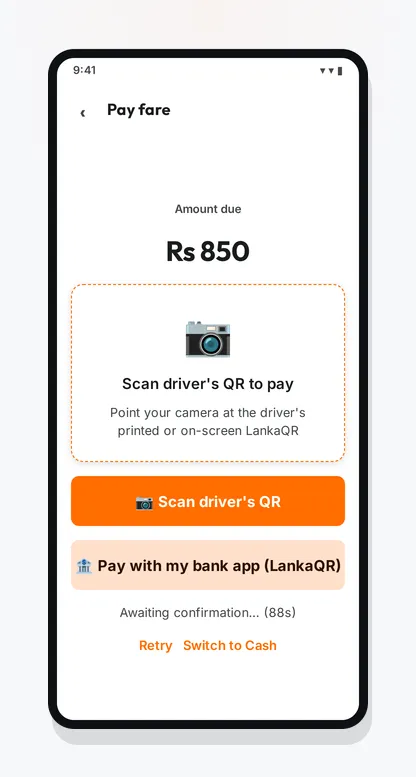
Paying at the end of the trip
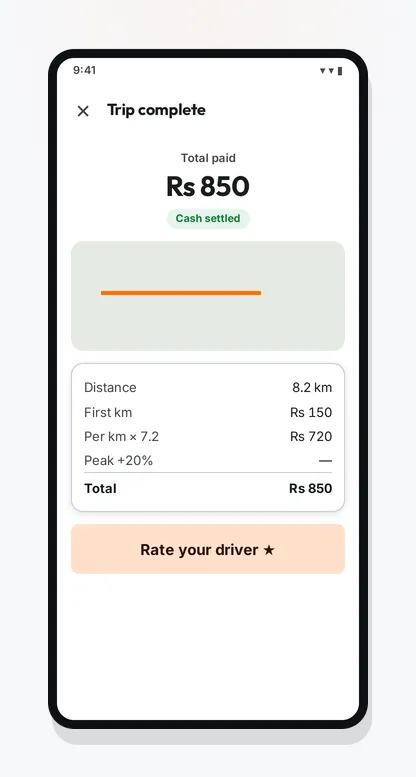
The trip summary, with the fare broken down
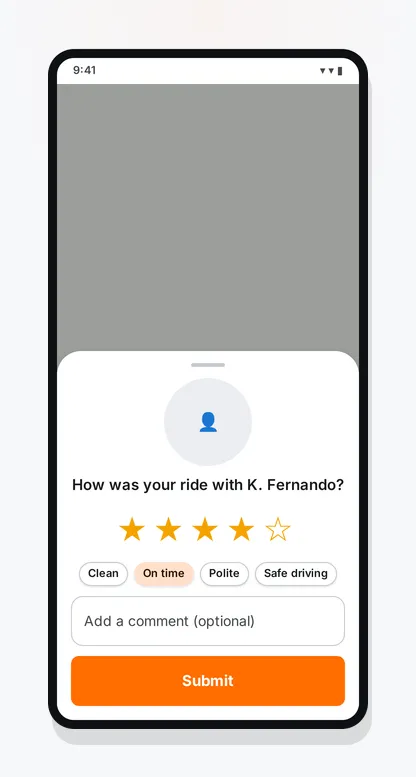
Rating your driver and leaving a review
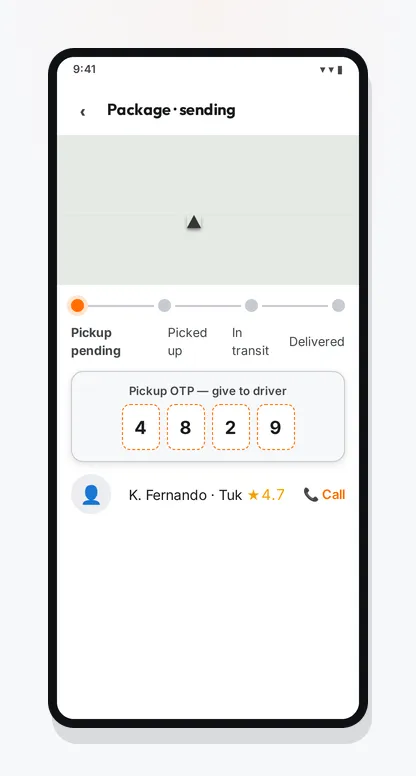
Watching your package move through its three stages
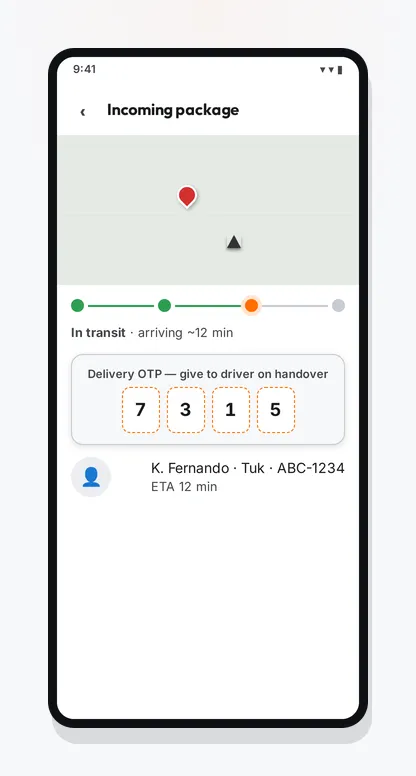
What the person receiving a package sees
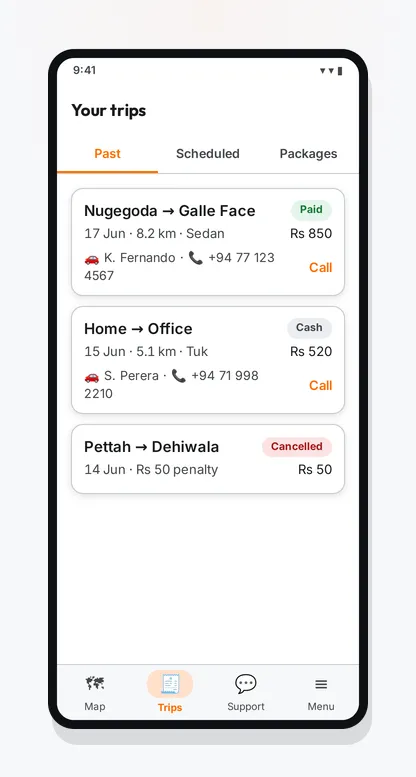
Your past trips and your scheduled ones, in one list
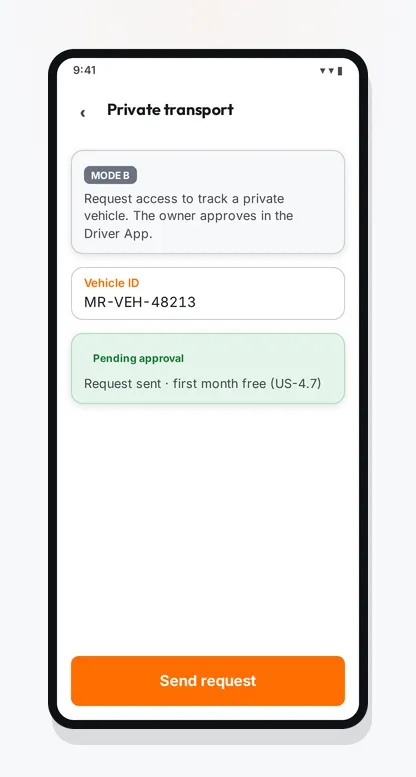
Asking a vehicle owner for permission to follow their vehicle
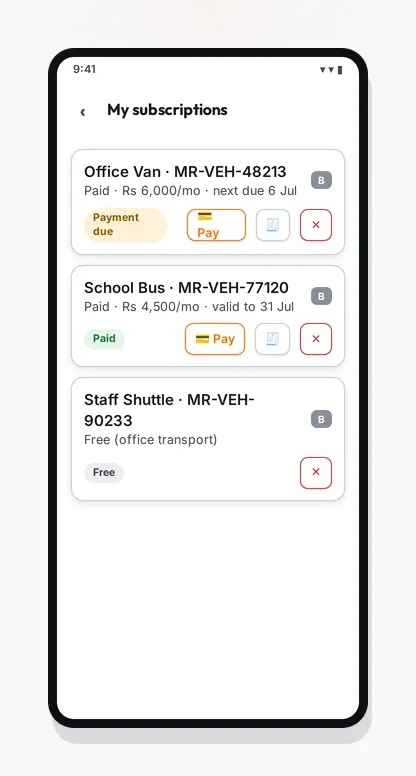
The private vehicles you follow, and what each one costs
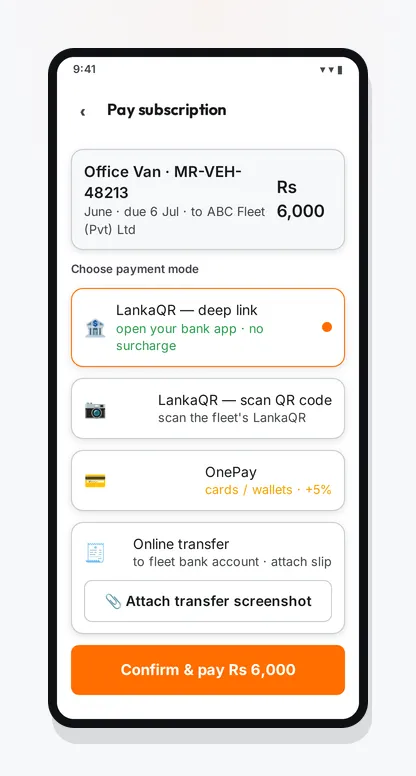
Paying for a monthly subscription to follow a vehicle
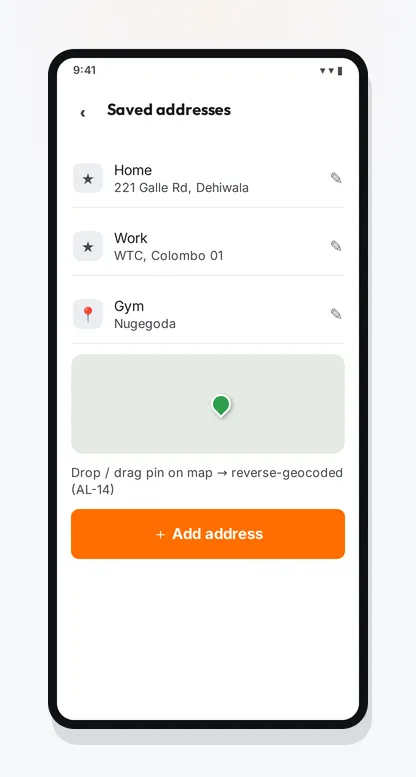
Saving the places you travel to often
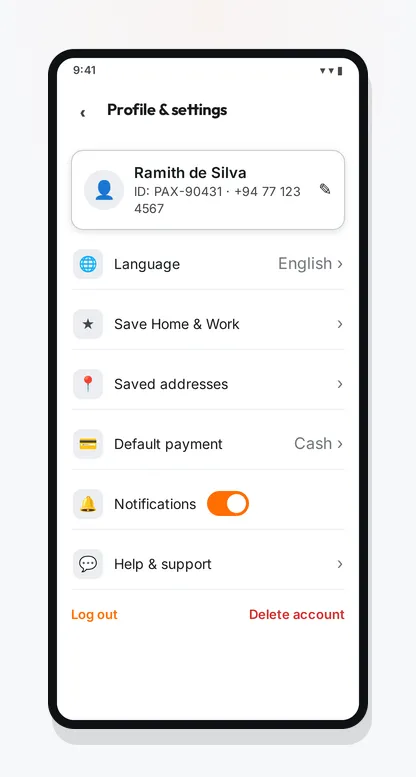
Your profile, your language and your privacy settings
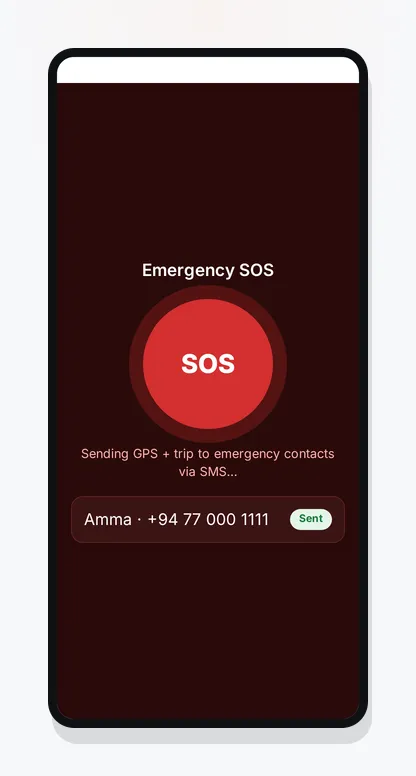
Emergency help, reachable from inside a ride
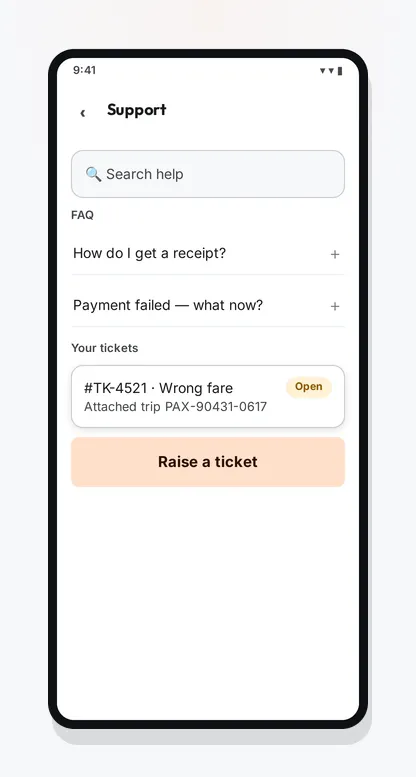
Getting help, and raising a ticket if you need one


Questions people ask first
What does MageRide cost me as a passenger?
Nothing. There is no subscription, no premium tier and no booking fee. You pay the driver the fare you saw before booking, and you pay MageRide nothing at all.
If passengers pay nothing and drivers keep the whole fare, how does MageRide earn?
Drivers taking on-demand rides pay a flat daily platform fee — but only from their second trip of the day, and nothing on days they do not drive. That fee is the entire business model. There is no commission on any fare and no charge to passengers.
How do I pay for a ride?
Cash, or by scanning the driver’s QR code at the end of the trip. You choose before you book. Either way the money goes to the driver, not to MageRide.
Will I see every bus and every three-wheeler?
Not on day one. MageRide is built to hold the whole country, but a vehicle appears only once its operator or driver has joined. Coverage grows steadily, and for a while it will be thinner in some places than others. We would rather say so plainly than let the map imply otherwise.
What kinds of vehicle are on MageRide?
Ten. Motorbike, three-wheeler, Flex, sedan, mini van and van for rides; truck and mini truck additionally for deliveries; and buses and trains for public transport. Each has its own colour on the map.
What are Mode A, Mode B and Mode C?
Three different things you can do. Mode A is public buses and trains, free for anyone to watch. Mode B is a private vehicle you have been given permission to follow. Mode C is booking a ride or a delivery right now. They are separate services, not one feature with a switch on it.
Can anyone watch my private vehicle?
No. A Mode B vehicle is visible only to people its owner has granted access to, one request at a time, and the owner can withdraw that access whenever they choose.
What does following a private vehicle cost?
It depends on the vehicle. Some owners share access free — a company staff bus, for instance. Others carry a monthly subscription, currently around Rs 300 per vehicle with the first month free. The app shows the exact amount before you subscribe.
Are trains on the map?
Yes, as Mode A alongside public buses. Trains are registered by MageRide administrators rather than by drivers. You can filter for them on their own, or see them among your options when you enter a destination.
What do I need to sign up?
A Sri Lankan mobile number. Choose your language, enter your number, and confirm the one-time code. Passengers need nothing else.
Which languages does MageRide support?
Sinhala, Tamil and English, everywhere. You pick one before signing in and can change it at any time.
Does MageRide work with a screen reader, or with larger text?
Yes. The flows that matter most — signing up, the map, booking a ride and the trip summary — work with TalkBack, the screen reader built into Android. And if you have made the text bigger in your phone’s settings, the app follows that setting: the layout grows with it rather than cutting words off.
What safety features are there?
Share your live trip with someone you trust, reach emergency help from inside the ride screen, and rate the driver afterwards. Every driver’s licence and vehicle documents are checked before they can accept a job.
Will the driver see my phone number?
Once a driver accepts your ride, you and the driver can see each other’s numbers so you can coordinate the pickup. This is disclosed when you sign up. If you book on someone else’s behalf, the driver sees the rider’s number and never yours.
Can I get my data, or have it deleted?
Both. You can ask for a copy of everything MageRide holds about you and receive it within 30 days, and you can ask for your account and personal data to be erased, also within 30 days — except for records the law requires us to keep.
Whose maps does MageRide use?
OpenStreetMap data, served from MageRide’s own map and search servers. There is no commercial map licence and no per-user fee, which keeps that cost off drivers.