Screen by screen
What MageRide actually looks like, for passengers, drivers and fleet owners.
These images are rendered from the approved MageRide interface designs, not photographed from a released app.
Narrow these down
Guide chapter
- Install MageRide and sign in
- The permissions MageRide asks for
- Reading the live map
- Tracking a bus or a train
- Booking a ride
- Choosing a vehicle, and the fare
- Booking for someone else
- Sending a package
- Booking a ride for later
- Waiting for a driver
- During the ride
- Paying for the ride
- Saved places, ratings and your trips
- Following a private vehicle
- Paying for a vehicle you follow
- Settings, help, and your data
- Setting up the driver app
- Registering your vehicle
- Photographing your documents
- Getting approved
- Permissions and driving in the background
- Your dashboard
- Going on standby
- Driving a bus or a private vehicle
- Driving towards home
- The fifteen-second offer
- Running a trip
- Delivering a package
- Ratings and your driver level
- Getting paid
- Your wallet
- The daily platform fee
- Bulk credit, and passing it on
- Safety, help and updates
- Registering your organisation
- KYC, and the bank and payout profile
- Billing — a monthly charge per private vehicle
- Adding vehicles — one at a time, and in bulk
- Vehicle documents, and what gates approval
- Assigning drivers, and binding trackers
Showing 73 of 73 screens
The passenger app
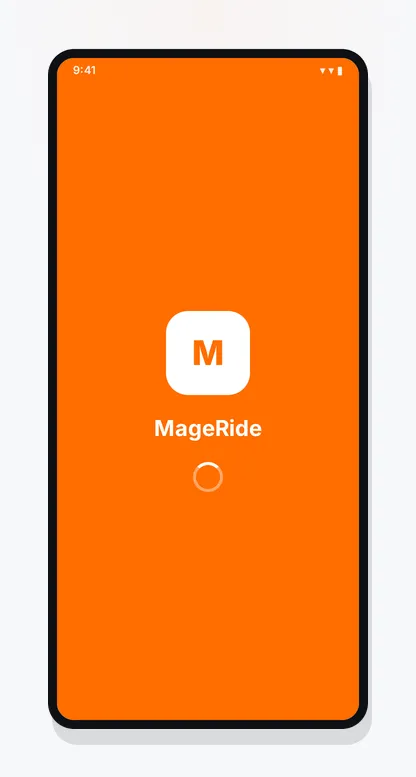
MageRide opening on a passenger’s phone
In the guide: Install MageRide and sign in
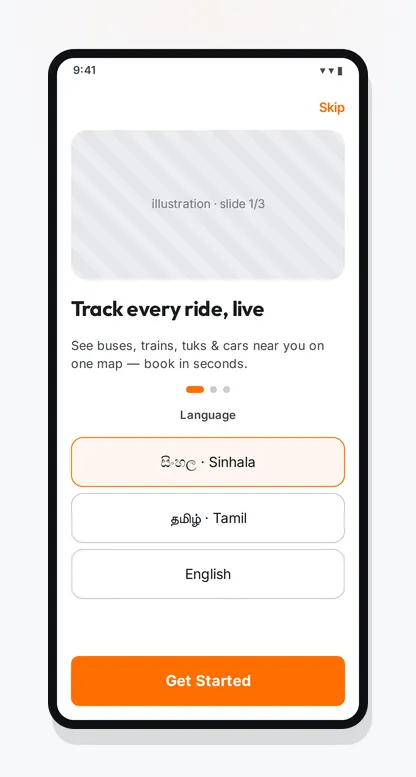
Choosing Sinhala, Tamil or English before anything else
In the guide: Install MageRide and sign in
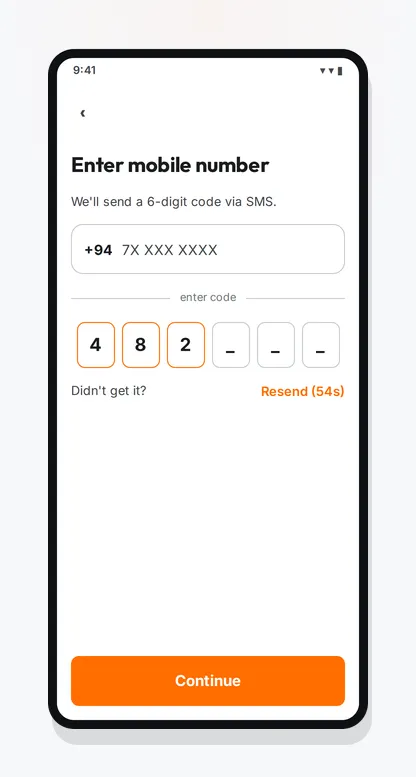
Signing in with a phone number and a one-time code
In the guide: Install MageRide and sign in
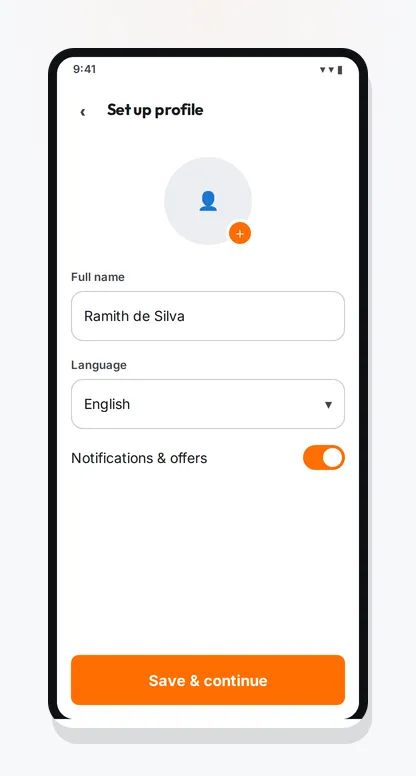
Adding your name and photo to finish your profile
In the guide: Install MageRide and sign in
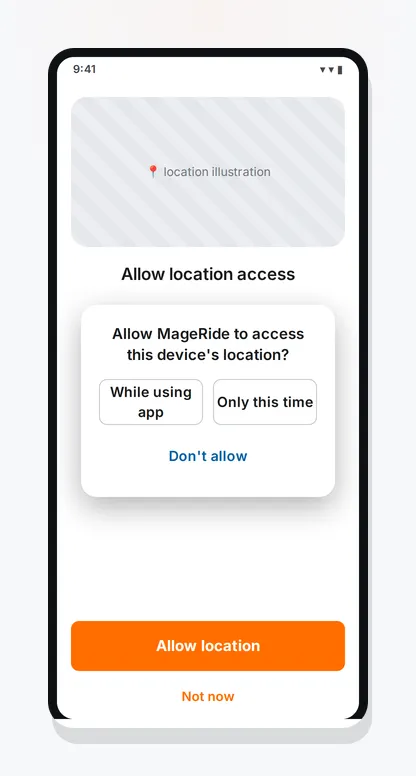
Asking permission to use your location, and saying what for
In the guide: The permissions MageRide asks for
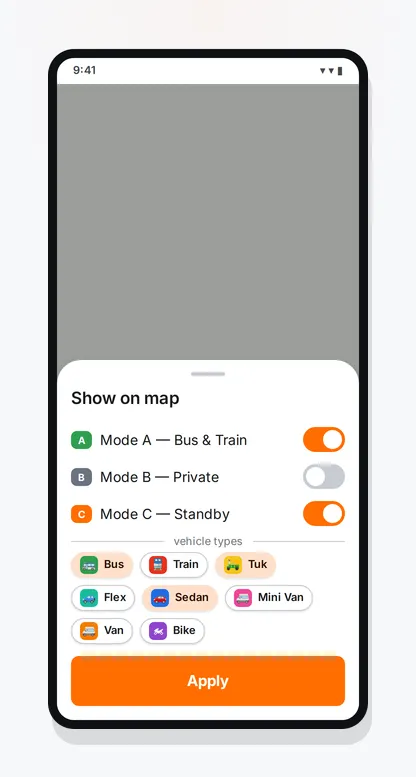
Filtering the map by transport mode and vehicle type
In the guide: Reading the live map
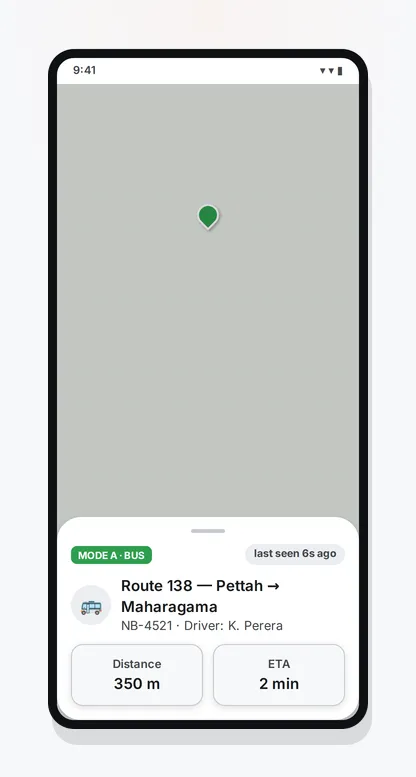
Tapping a vehicle to see its route, its type and where it is
In the guide: Reading the live map · Tracking a bus or a train
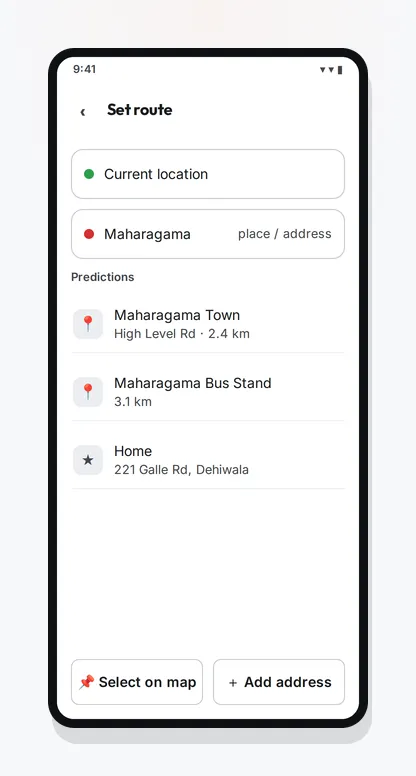
Searching for a place by name, or dropping a pin on the map
In the guide: Tracking a bus or a train · Booking a ride
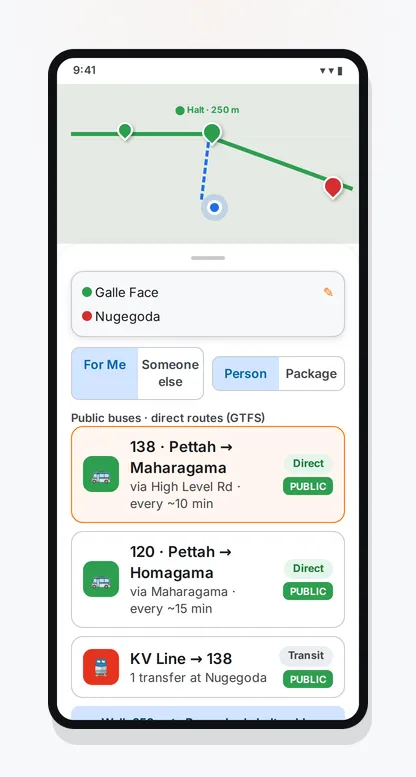
Choosing a vehicle and seeing the fare before you book
In the guide: Tracking a bus or a train · Booking a ride · Choosing a vehicle, and the fare
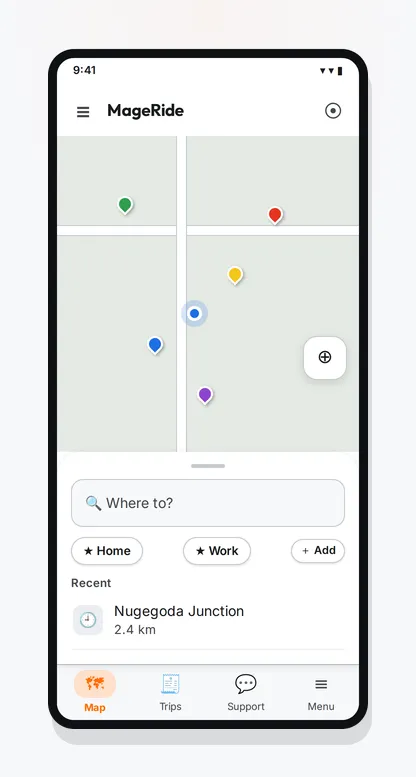
Buses, trains and three-wheelers near you, moving in real time
In the guide: Reading the live map
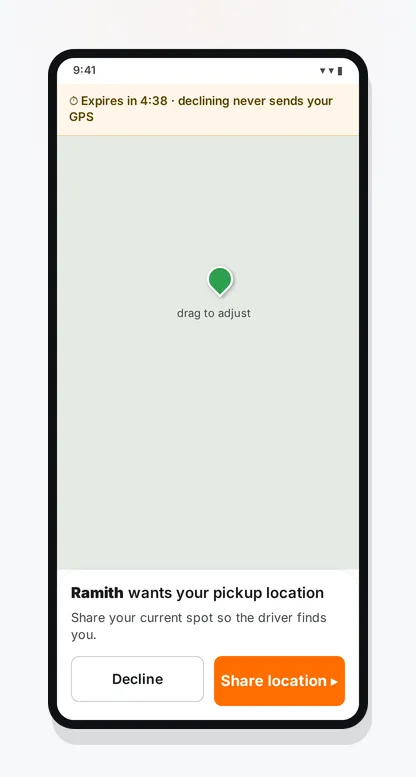
Confirming the pickup when someone books a ride for you
In the guide: Booking for someone else
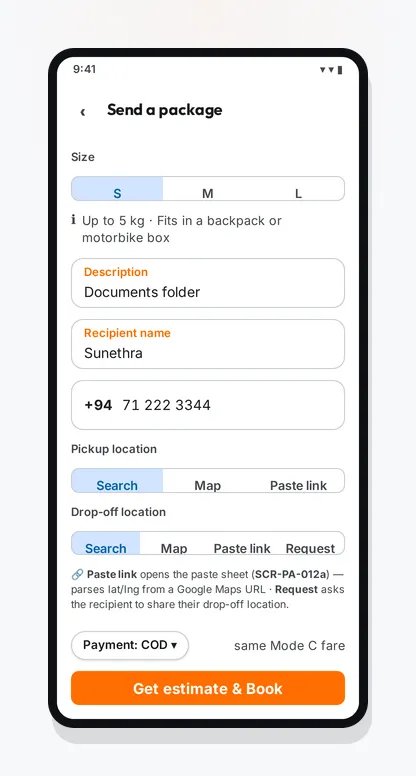
Sending a package — size, recipient and delivery code
In the guide: Sending a package
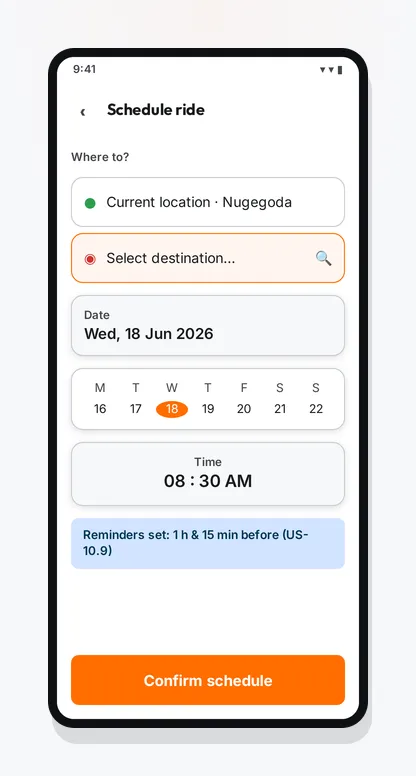
Booking a ride for later in the day or later in the week
In the guide: Booking a ride for later
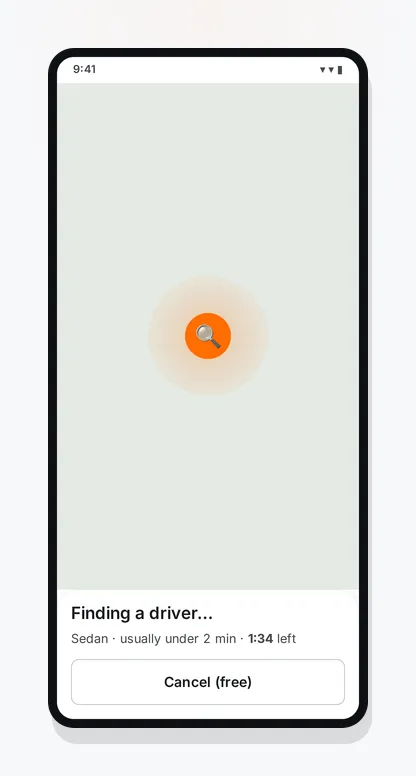
Waiting while nearby drivers are offered your ride
In the guide: Waiting for a driver
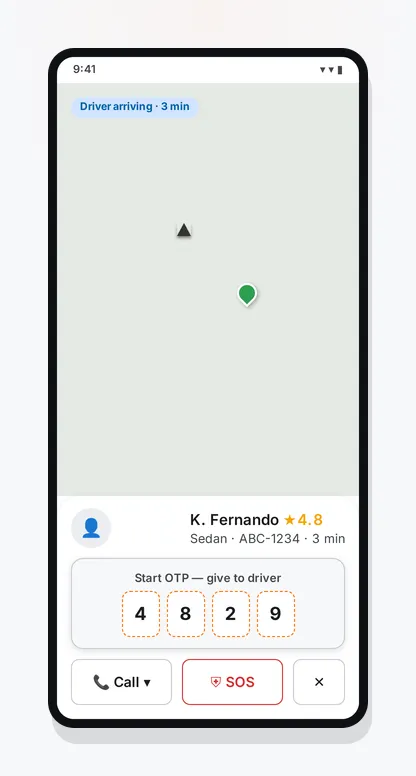
Following your ride, with the driver’s details to hand
In the guide: During the ride
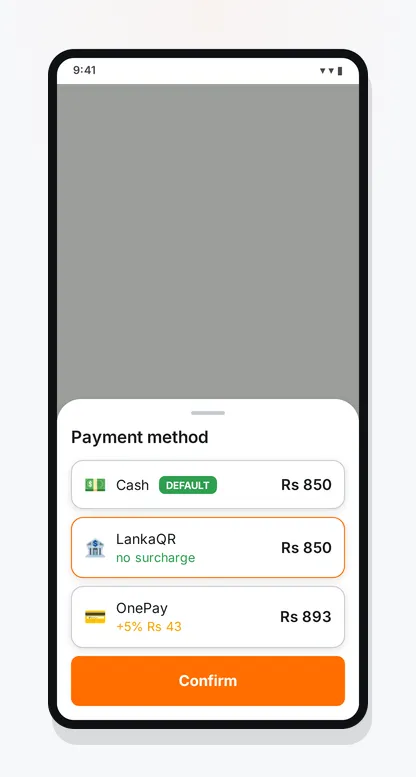
Choosing how to pay — cash or a scan of the driver’s code
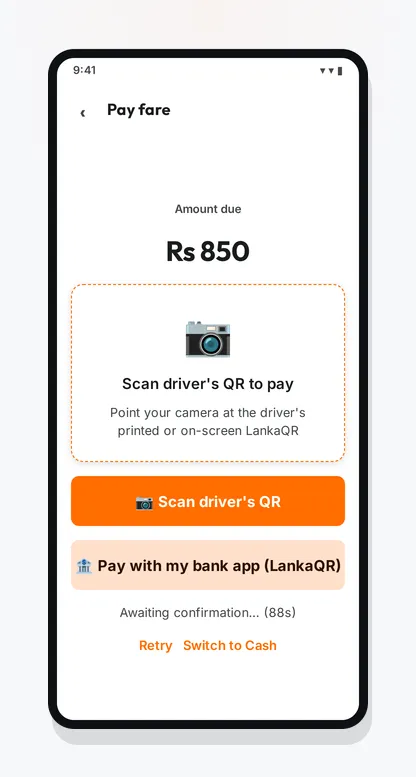
Paying at the end of the trip
In the guide: Paying for the ride
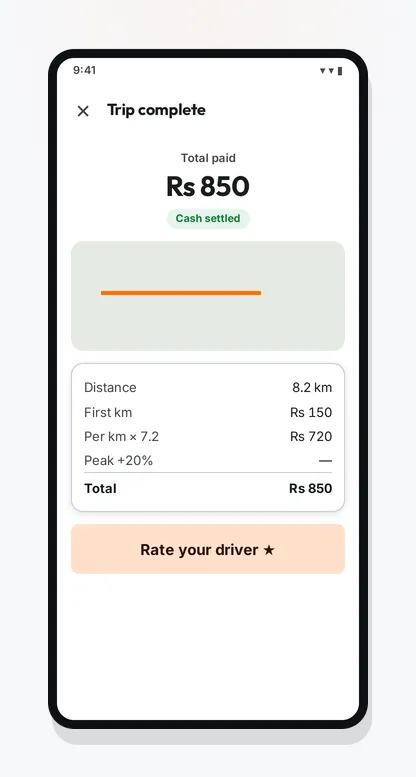
The trip summary, with the fare broken down
In the guide: Paying for the ride
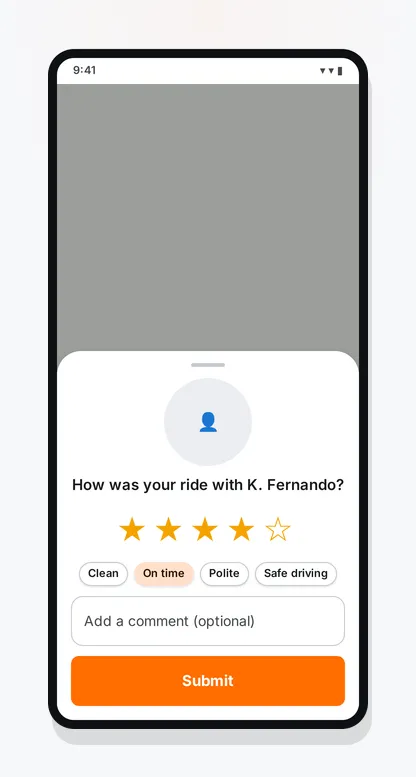
Rating your driver and leaving a review
In the guide: Saved places, ratings and your trips
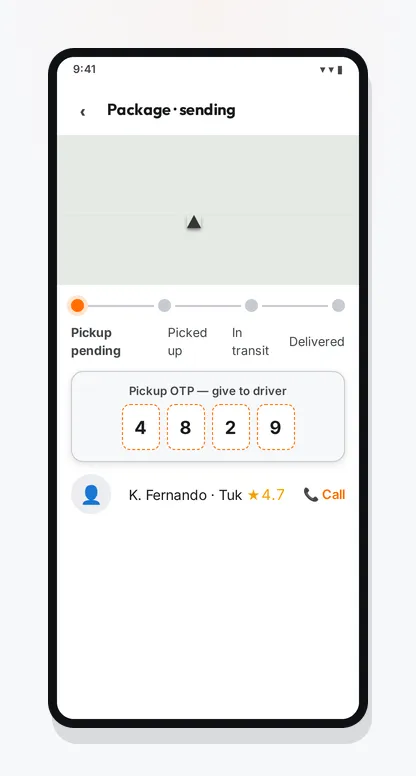
Watching your package move through its three stages
In the guide: Sending a package
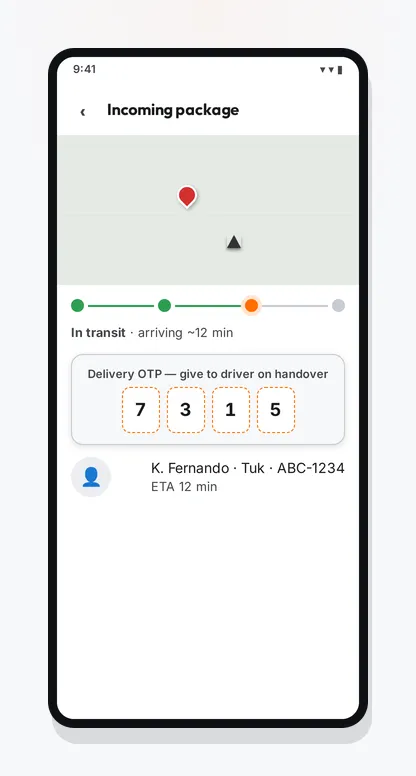
What the person receiving a package sees
In the guide: Sending a package
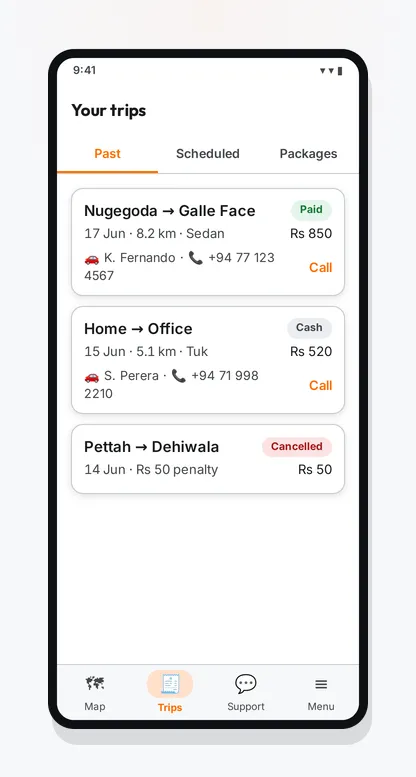
Your past trips and your scheduled ones, in one list
In the guide: Booking a ride for later · Saved places, ratings and your trips
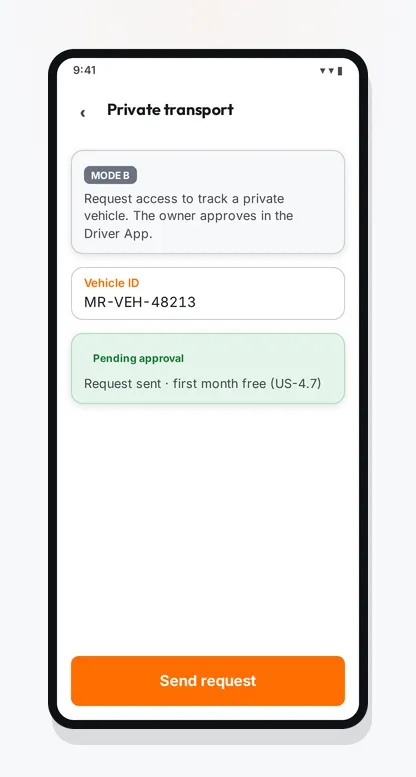
Asking a vehicle owner for permission to follow their vehicle
In the guide: Following a private vehicle
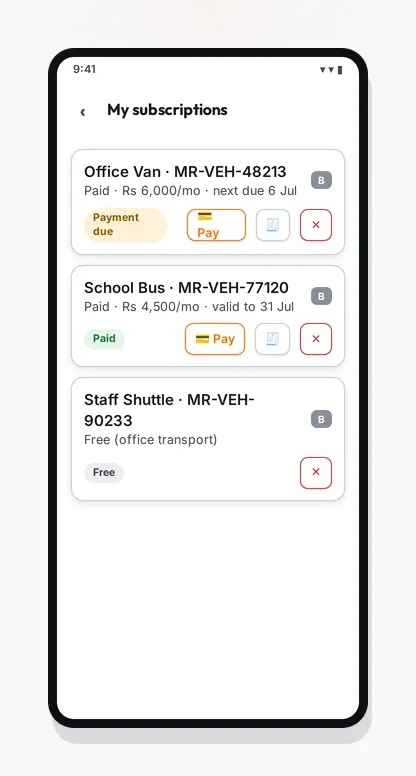
The private vehicles you follow, and what each one costs
In the guide: Following a private vehicle · Paying for a vehicle you follow
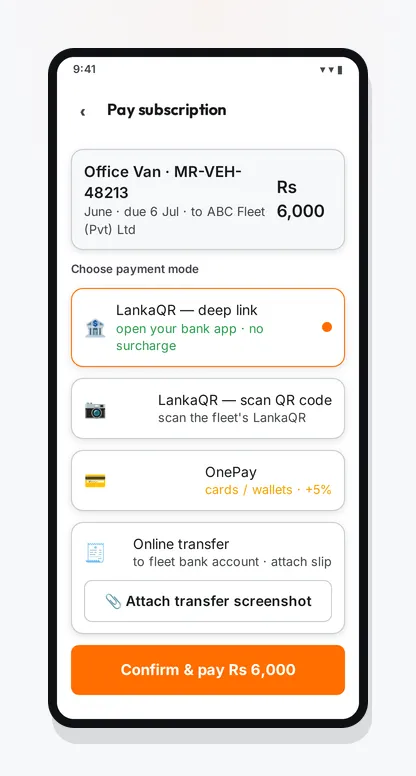
Paying for a monthly subscription to follow a vehicle
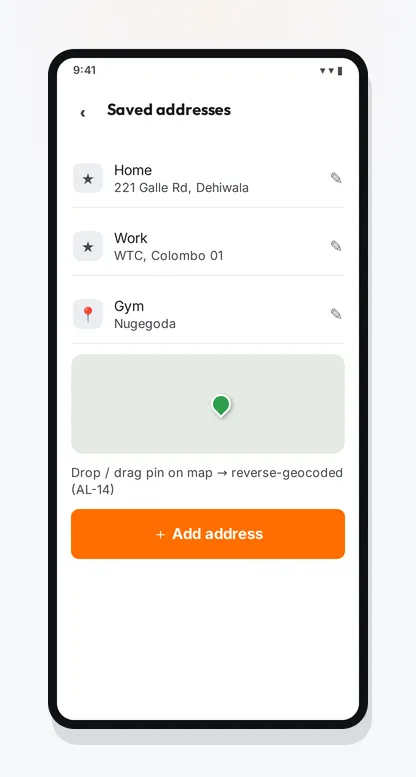
Saving the places you travel to often
In the guide: Booking a ride · Saved places, ratings and your trips
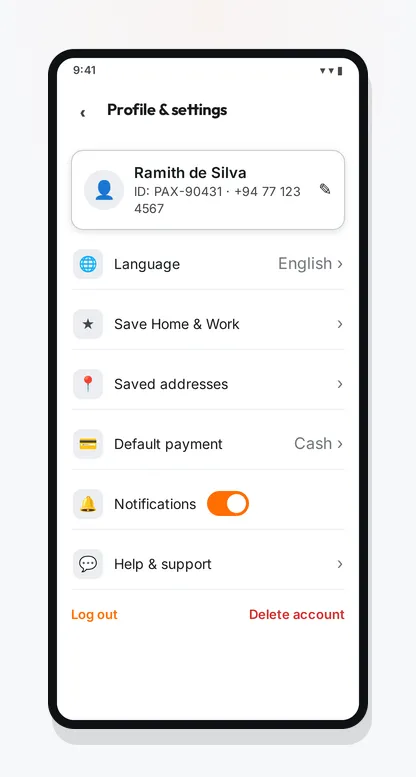
Your profile, your language and your privacy settings
In the guide: Settings, help, and your data
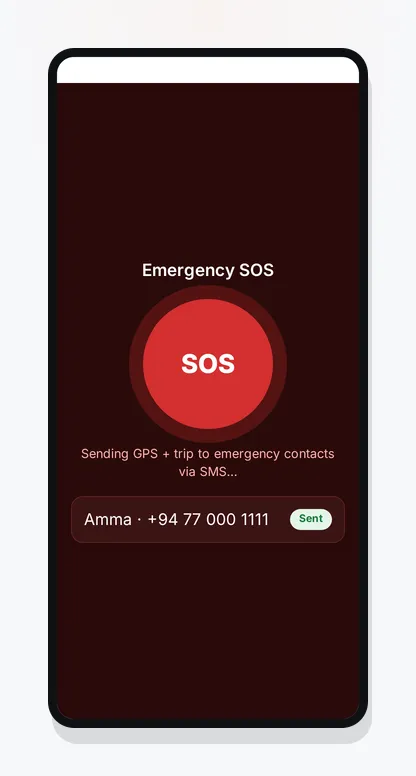
Emergency help, reachable from inside a ride
In the guide: During the ride
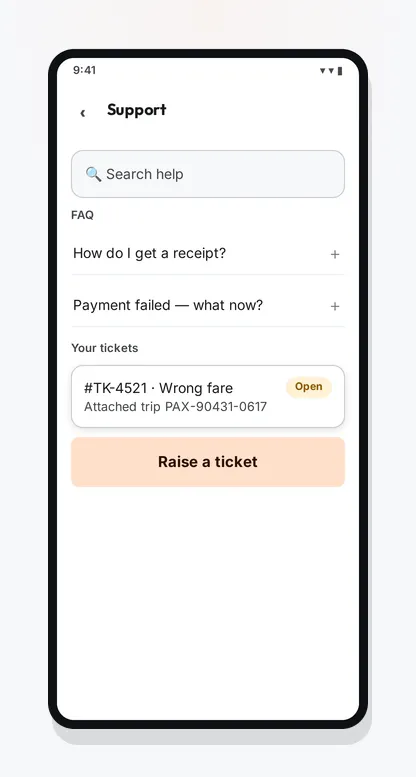
Getting help, and raising a ticket if you need one
In the guide: Settings, help, and your data


The driver app
The MageRide driver app opening
In the guide: Setting up the driver app
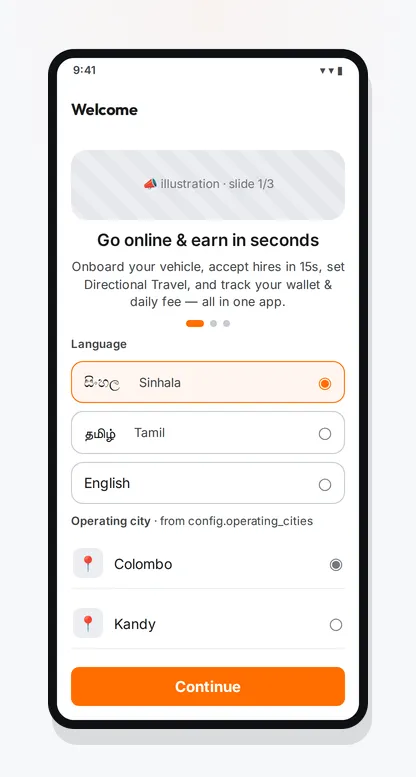
Choosing your language and the city you drive in
In the guide: Setting up the driver app
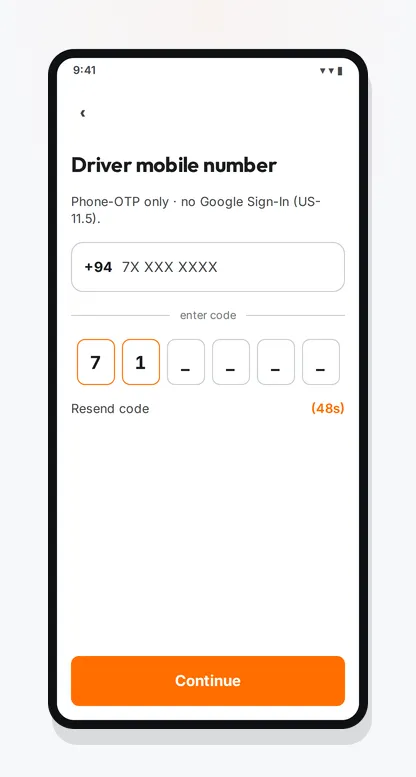
Signing in with your phone number and a one-time code
In the guide: Setting up the driver app
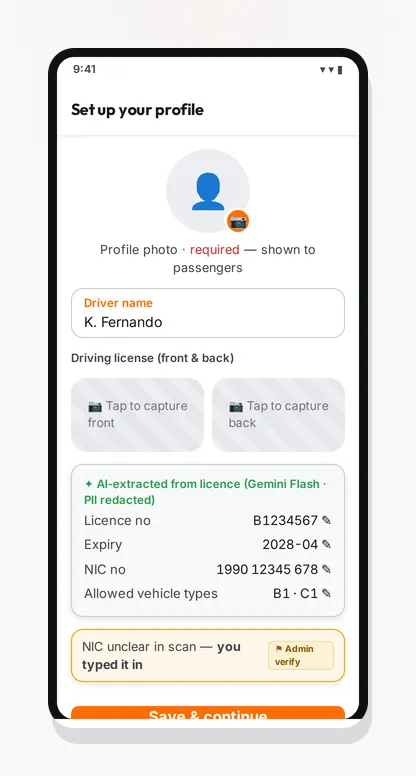
Setting up your driver profile
In the guide: Setting up the driver app
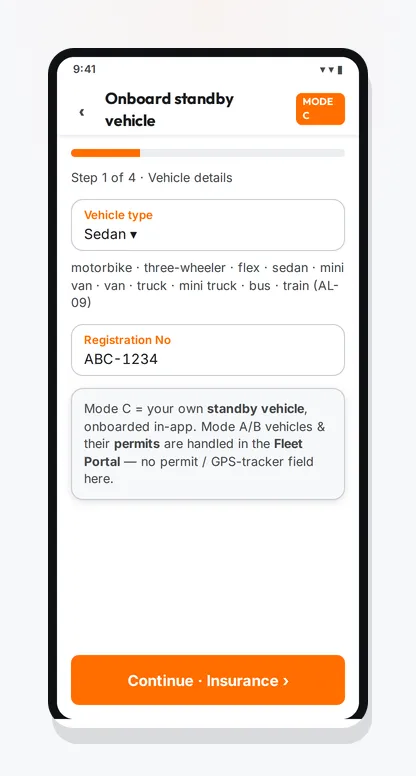
Registering a vehicle, one step at a time
In the guide: Registering your vehicle
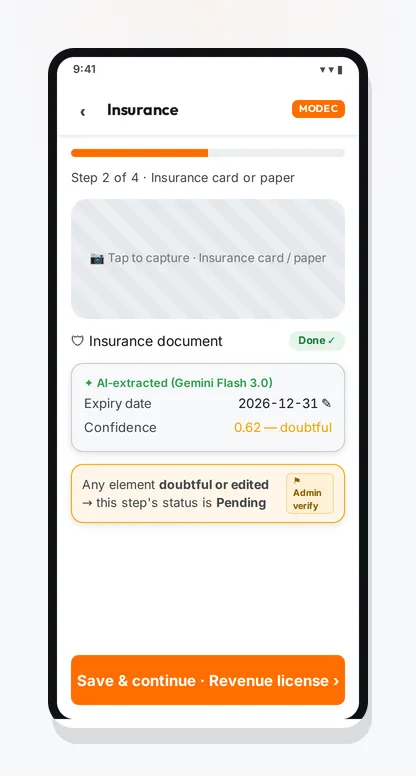
Adding your insurance details
In the guide: Registering your vehicle
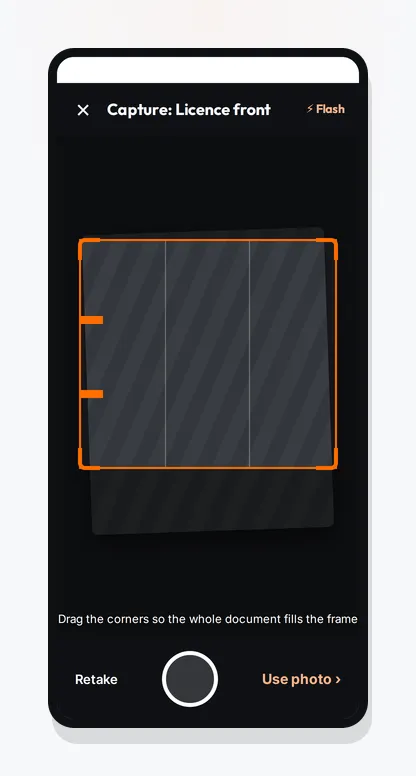
Photographing a document, with a crop you control
In the guide: Photographing your documents
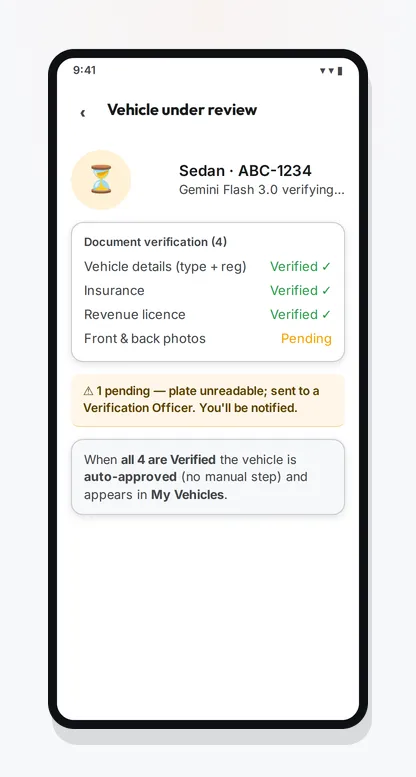
Following your approval, document by document
In the guide: Getting approved
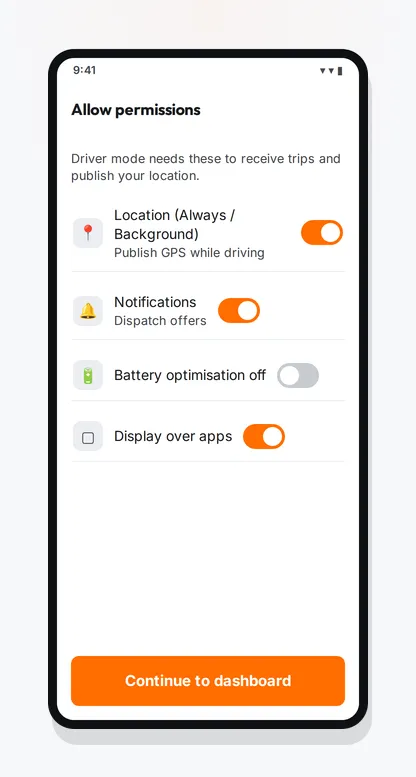
The permissions the driver app needs, and why
In the guide: Permissions and driving in the background
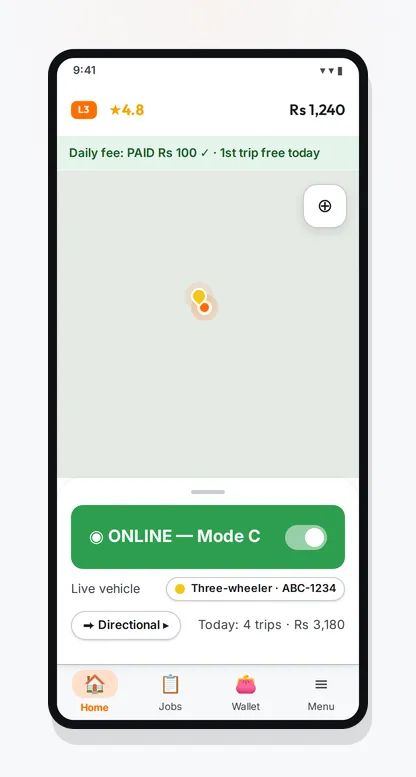
Your dashboard — go on standby and start earning
In the guide: Your dashboard · Going on standby
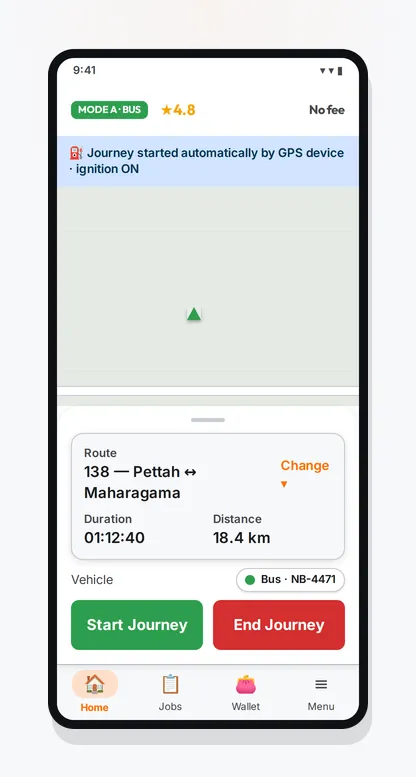
Starting and ending a scheduled journey
In the guide: Your dashboard · Driving a bus or a private vehicle
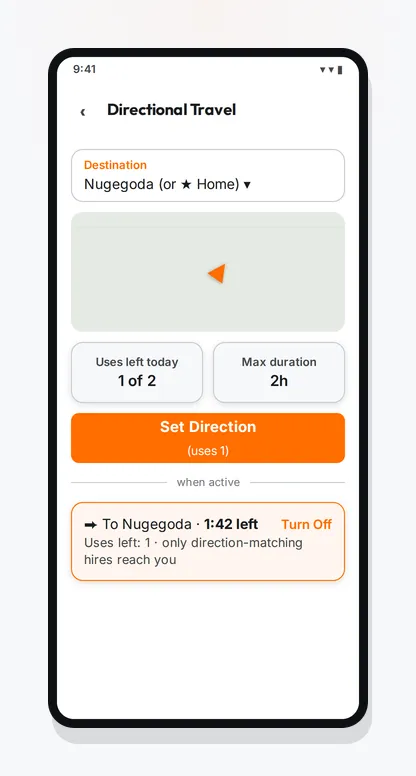
Setting where you are heading, so you get rides along the way
In the guide: Driving towards home
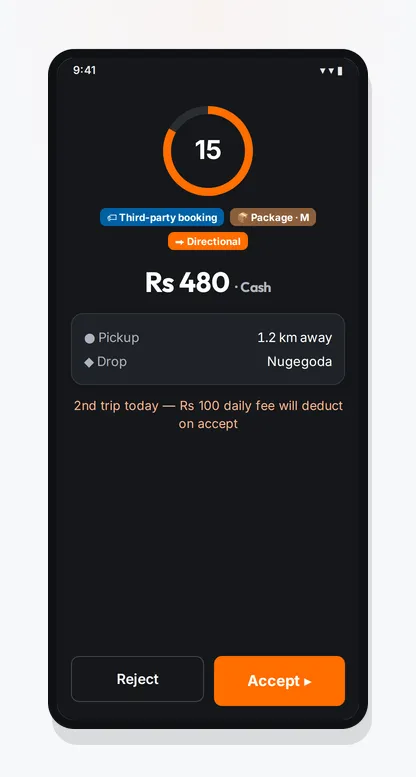
A ride offer, with fifteen seconds to accept it
In the guide: The fifteen-second offer
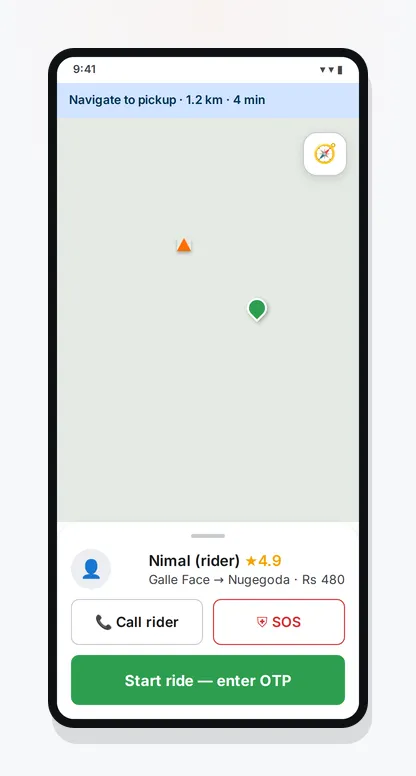
Navigating a trip from pickup to drop-off
In the guide: Running a trip
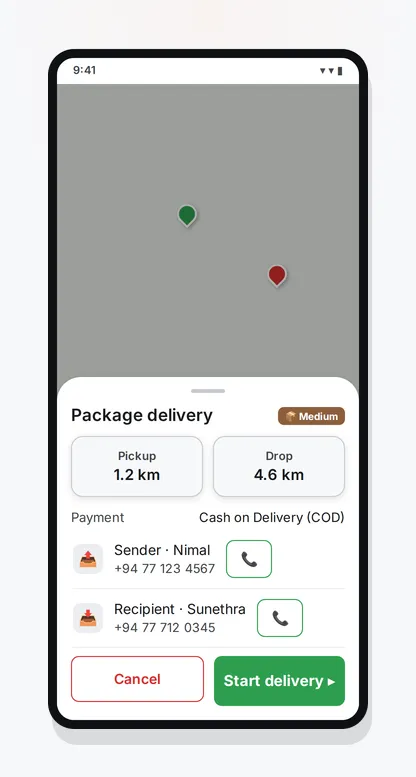
Reviewing a delivery job before you accept it
In the guide: Delivering a package
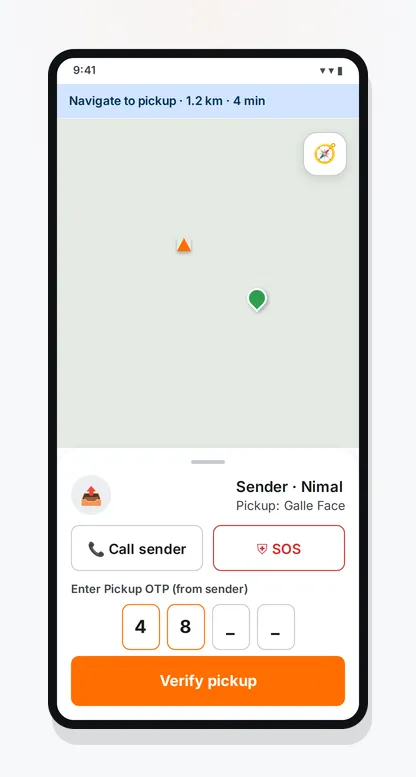
Collecting a package and confirming the code
In the guide: Delivering a package
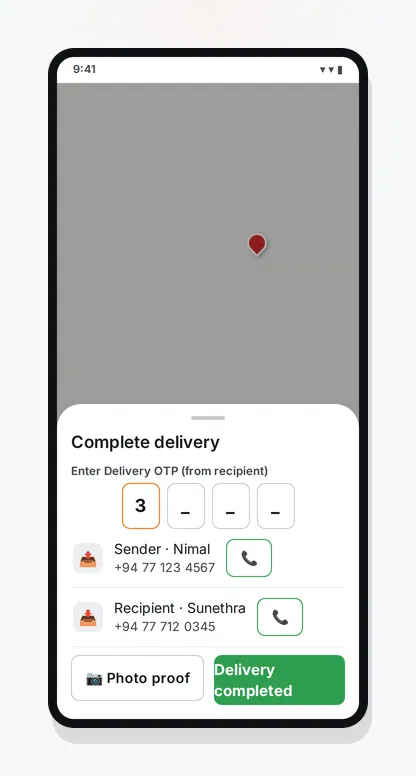
Completing a delivery with proof it arrived
In the guide: Delivering a package
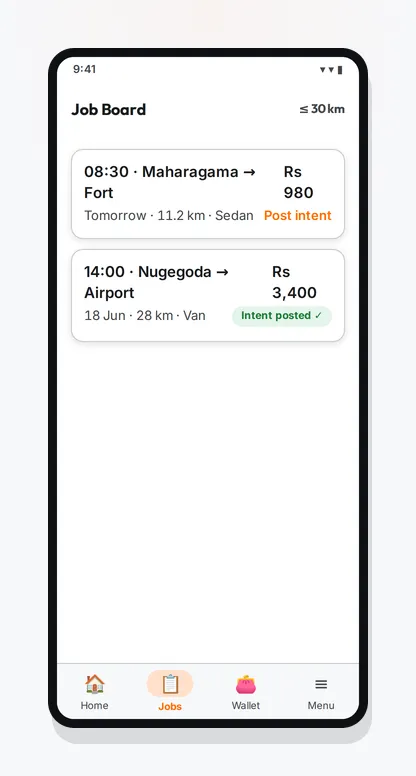
The job board — rides booked in advance, near you
In the guide: The fifteen-second offer
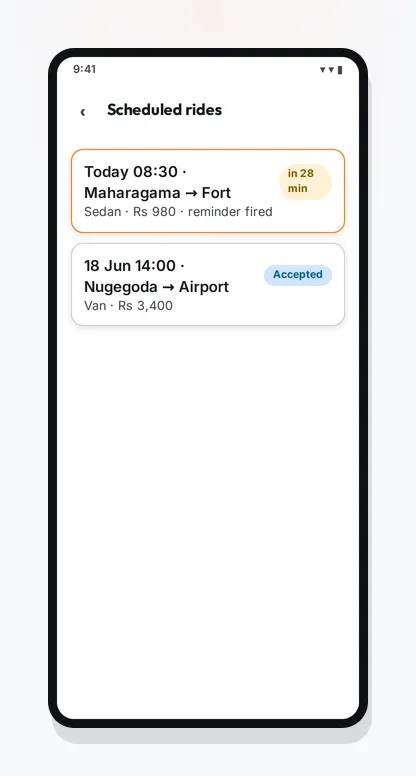
Rides booked in advance, waiting for you
In the guide: Running a trip
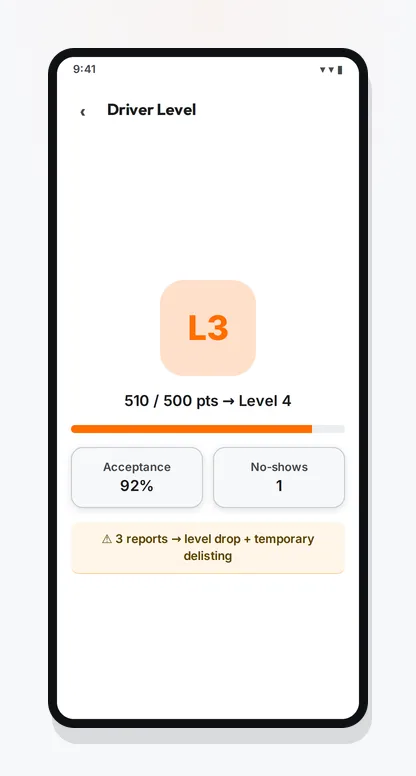
Your driver level, your rating and your statistics
In the guide: Ratings and your driver level
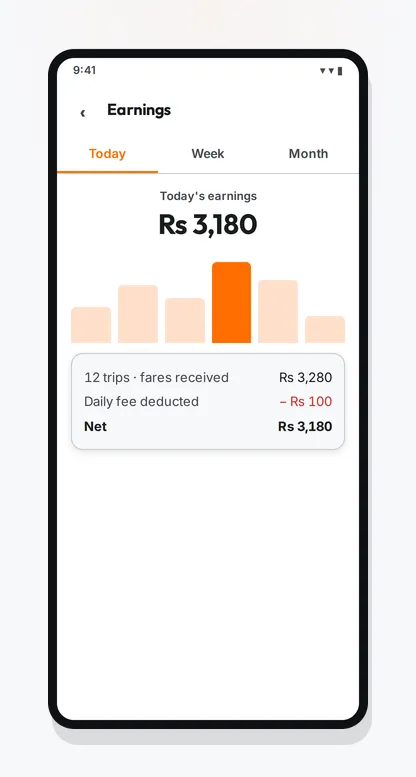
What you earned today, this week and this month
In the guide: Getting paid
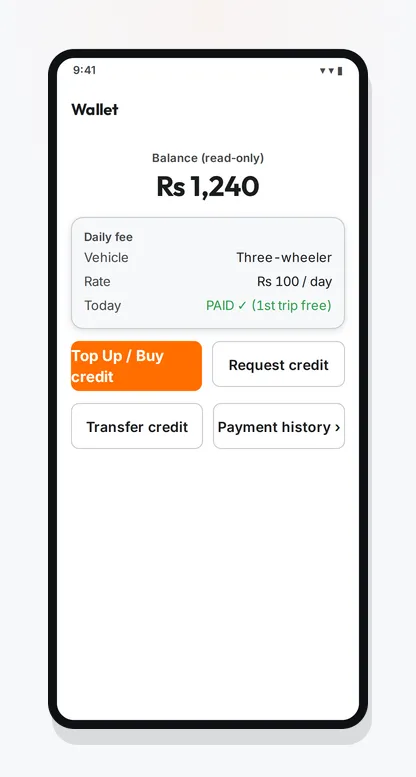
Your wallet, and the daily fee taken from it
In the guide: Your wallet · The daily platform fee
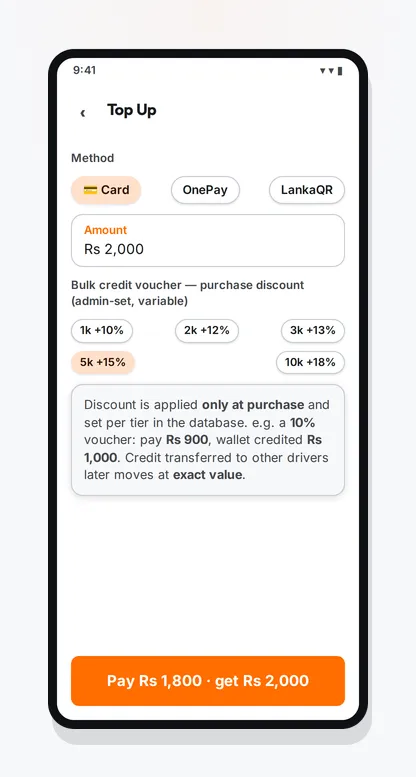
Topping up your wallet by card, OnePay or LankaQR
In the guide: Your wallet
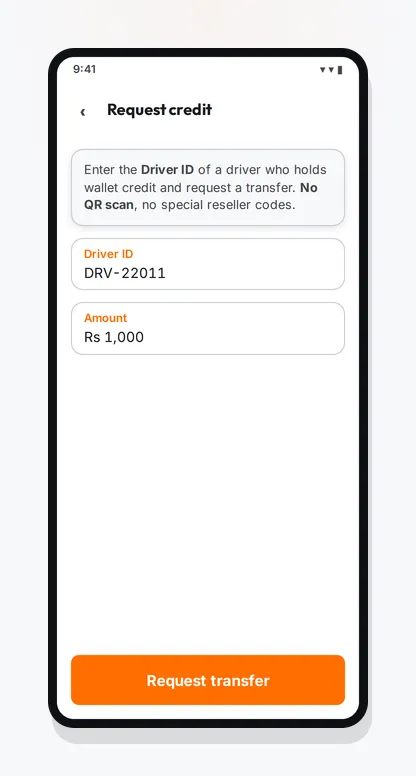
Requesting credit from another driver by ID
In the guide: Bulk credit, and passing it on
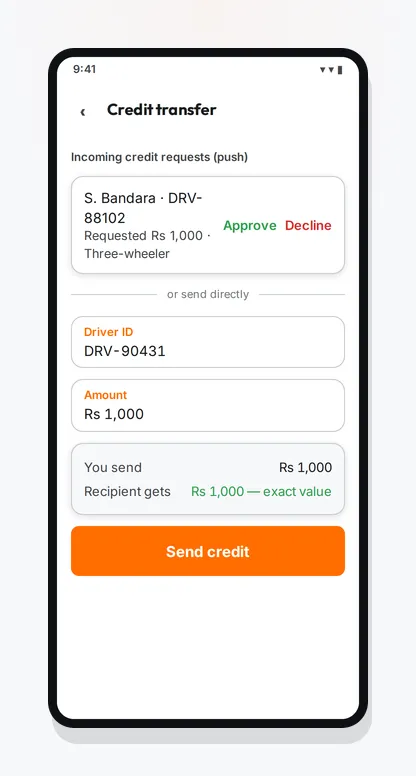
Transferring credit to a driver who asked for it
In the guide: Bulk credit, and passing it on
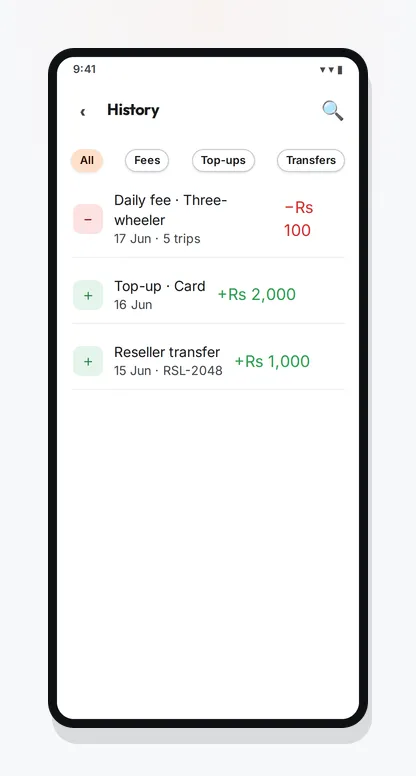
Every daily fee you have paid, listed
In the guide: The daily platform fee
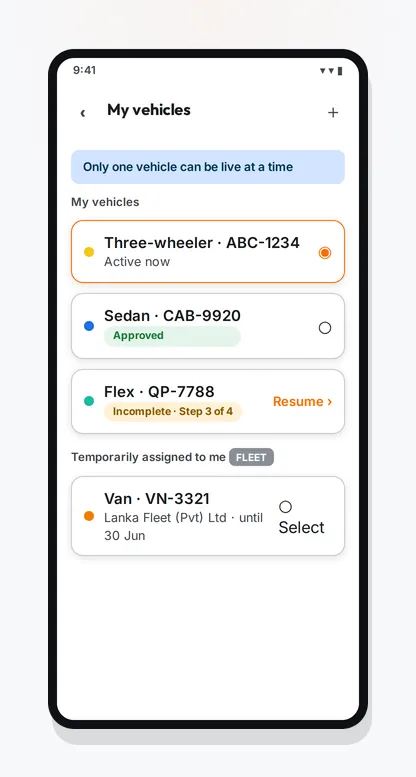
My Vehicles — what is approved, and what is unfinished
In the guide: Registering your vehicle
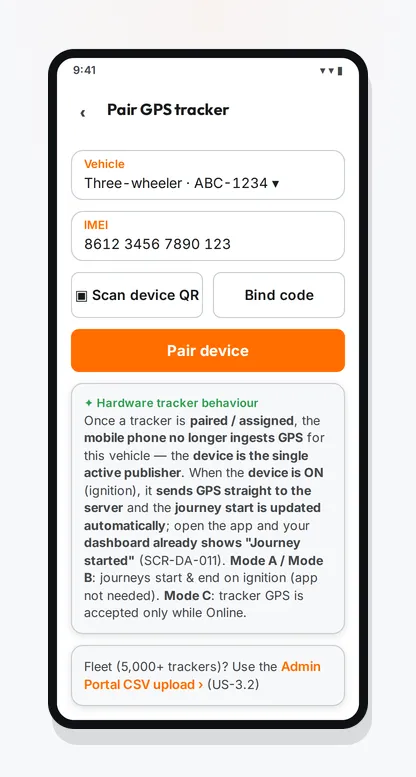
Pairing a GPS tracker to a vehicle
In the guide: Driving a bus or a private vehicle
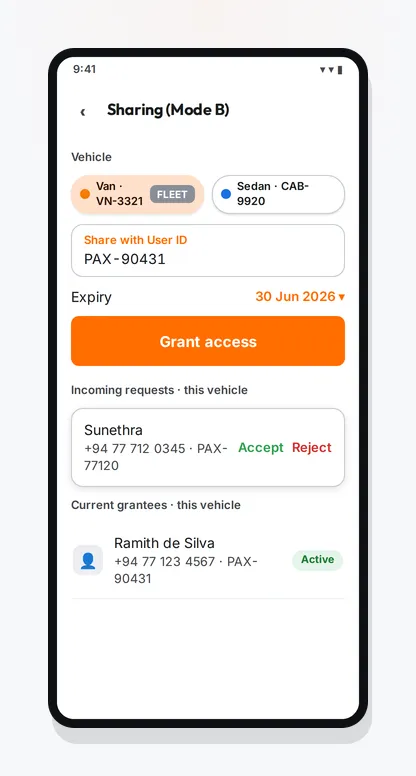
Deciding who is allowed to follow your vehicle
In the guide: Driving a bus or a private vehicle
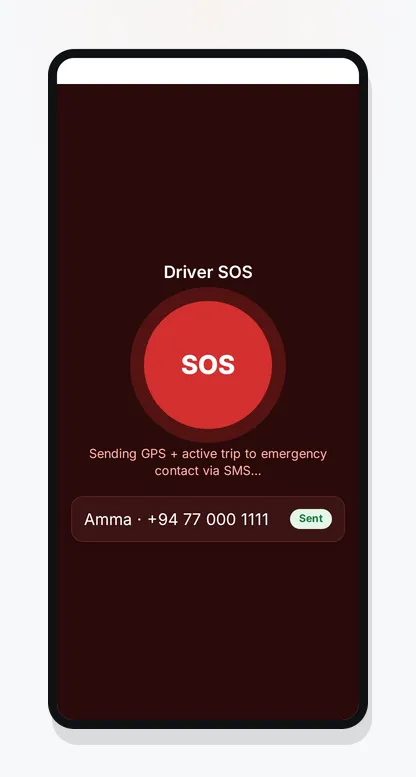
Emergency help for drivers, one press away
In the guide: Safety, help and updates
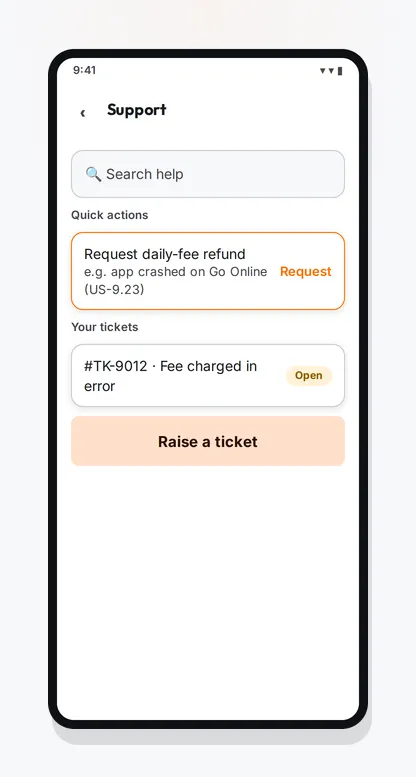
Support, and asking for a daily fee back
In the guide: Safety, help and updates


The fleet portal
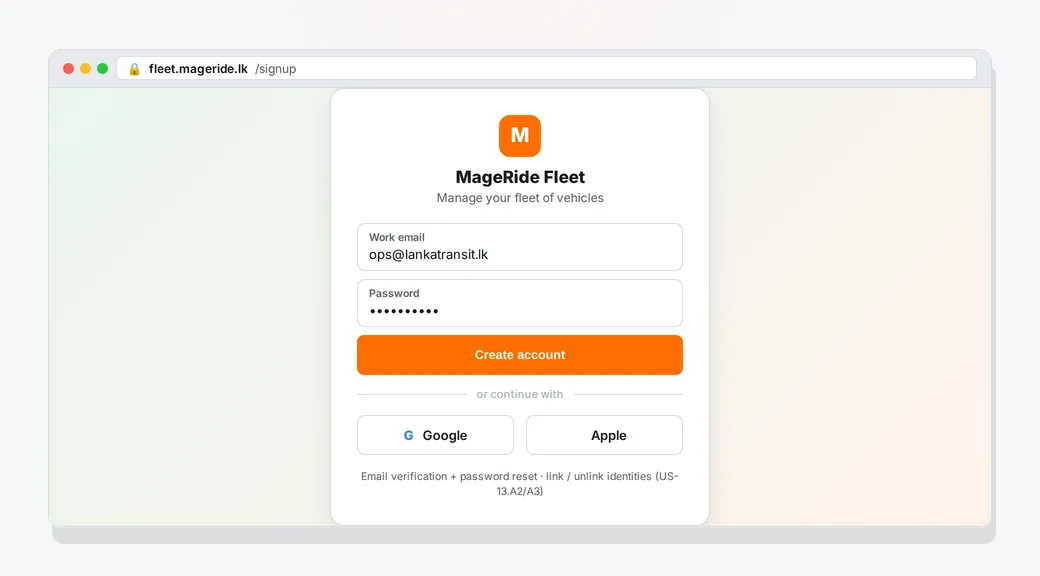
Registering your organisation on the fleet portal
In the guide: Registering your organisation
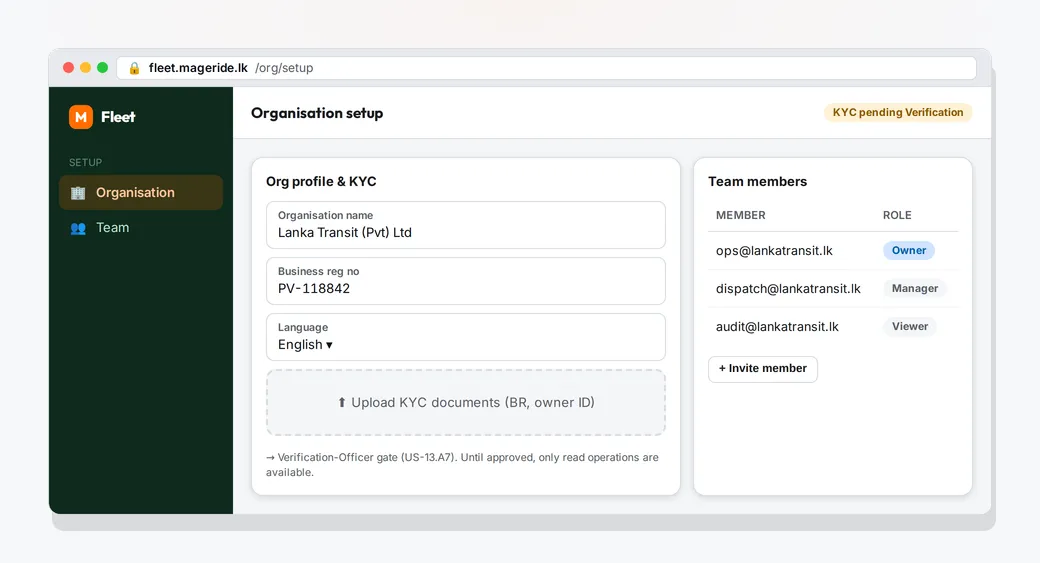
Your organisation profile and its KYC documents
In the guide: Registering your organisation
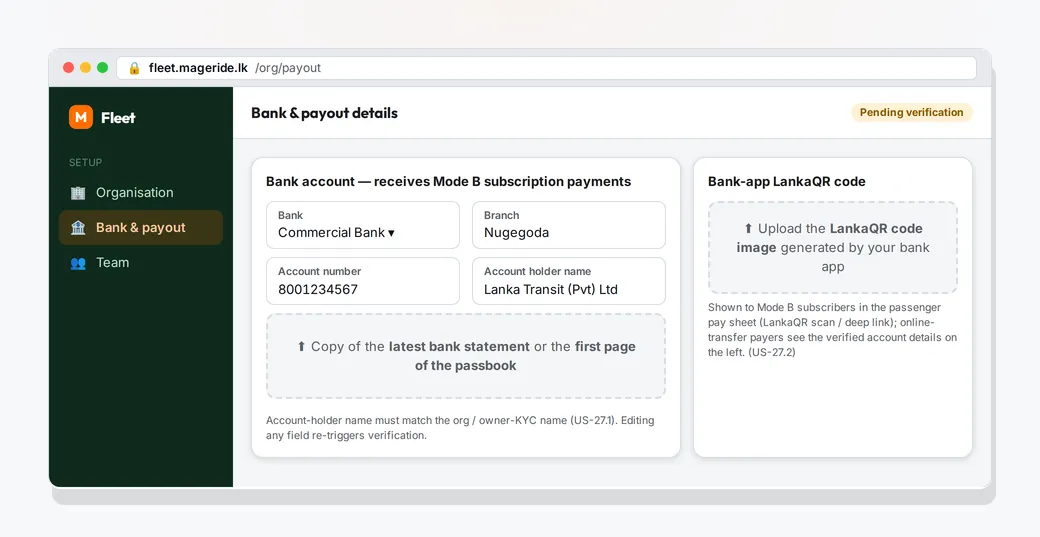
Bank and payout details — where subscription money lands
In the guide: KYC, and the bank and payout profile
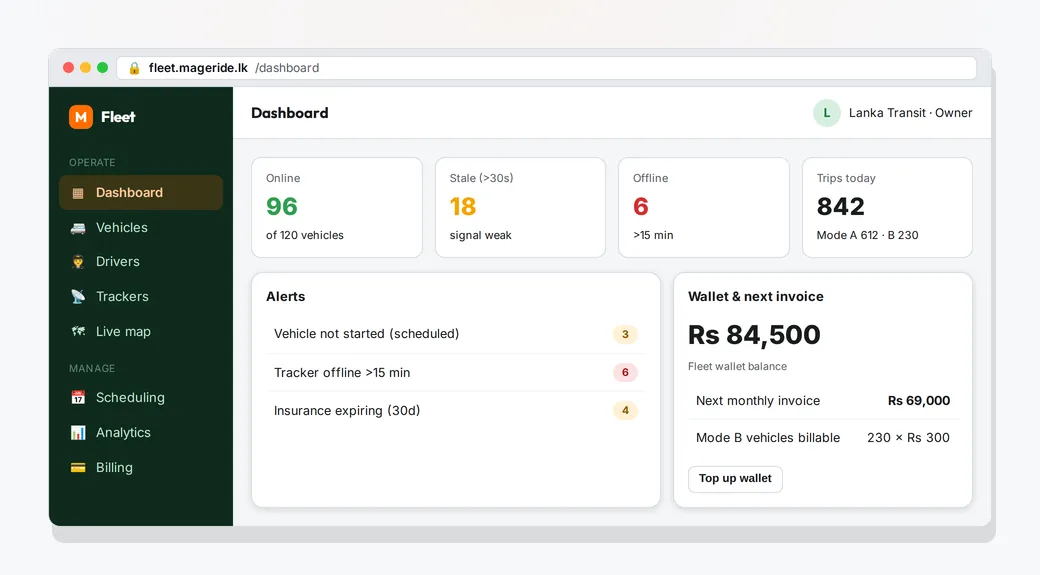
Your whole fleet on one dashboard
In the guide: Billing — a monthly charge per private vehicle
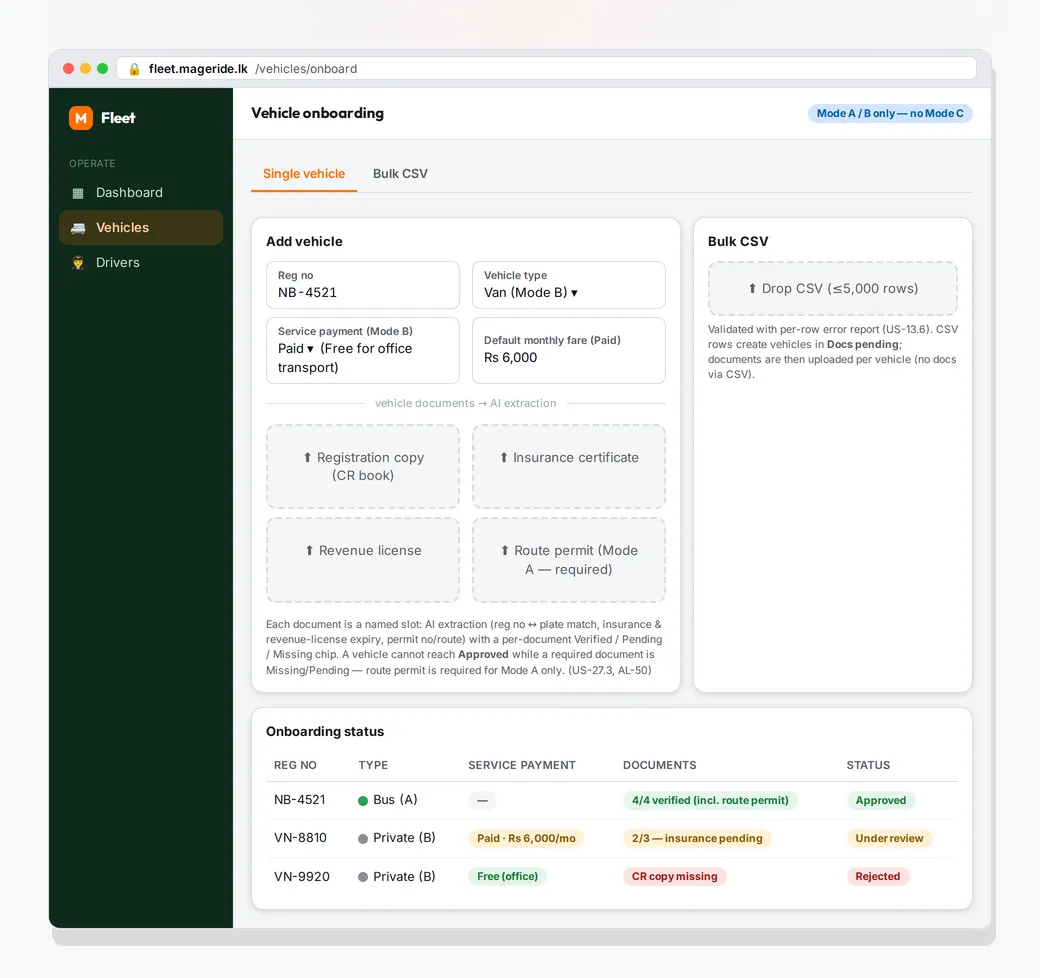
Adding a vehicle — one at a time or in bulk
In the guide: Adding vehicles — one at a time, and in bulk · Vehicle documents, and what gates approval
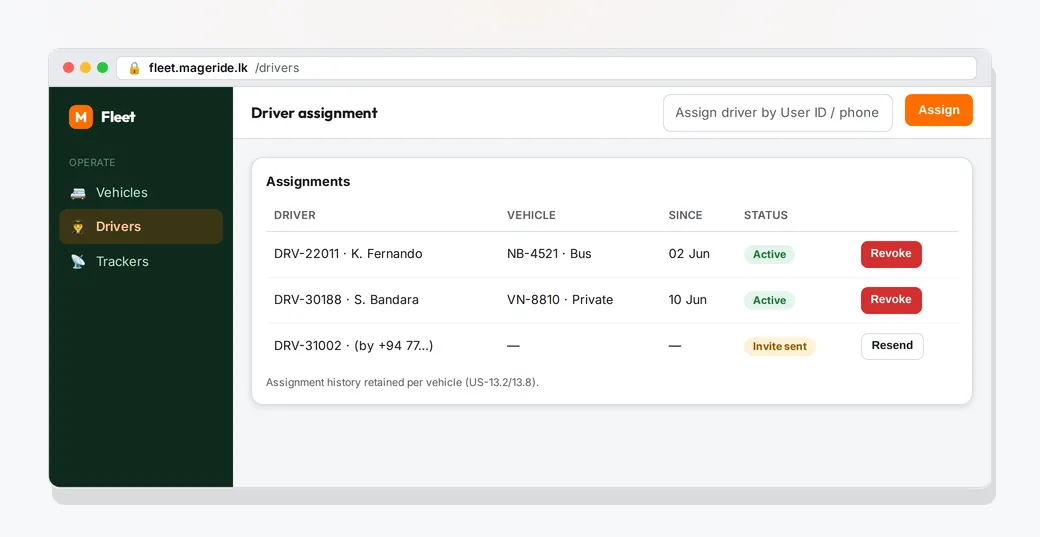
Assigning drivers to the vehicles they drive
In the guide: Assigning drivers, and binding trackers
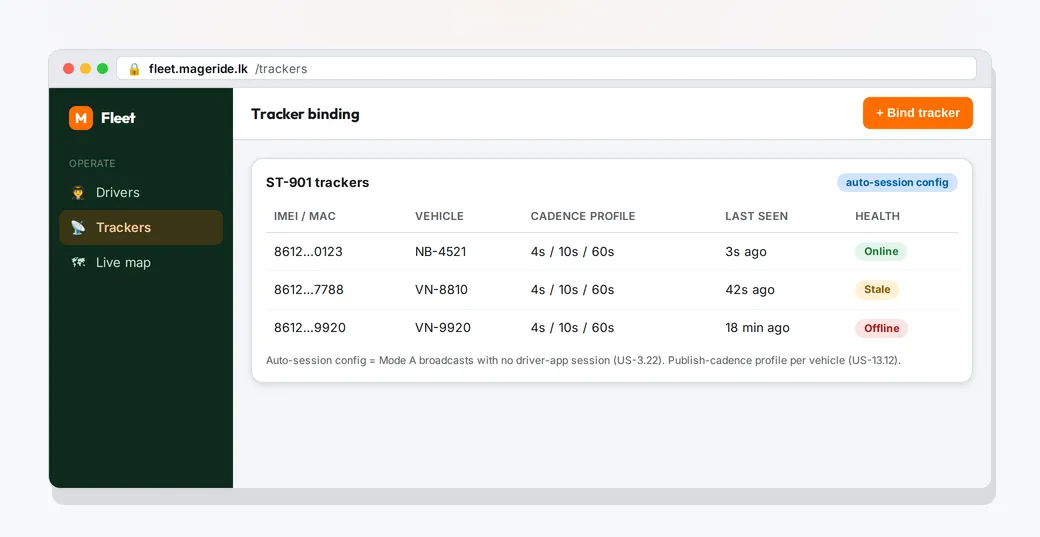
Binding a GPS tracker to a vehicle
In the guide: Assigning drivers, and binding trackers
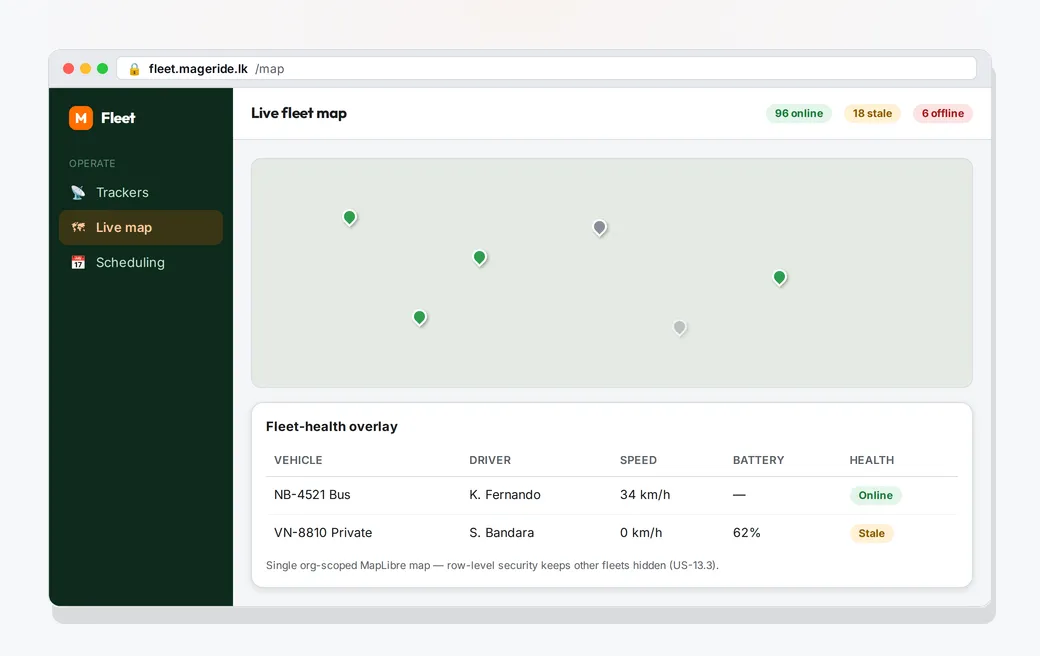
Every vehicle you own, live on one map
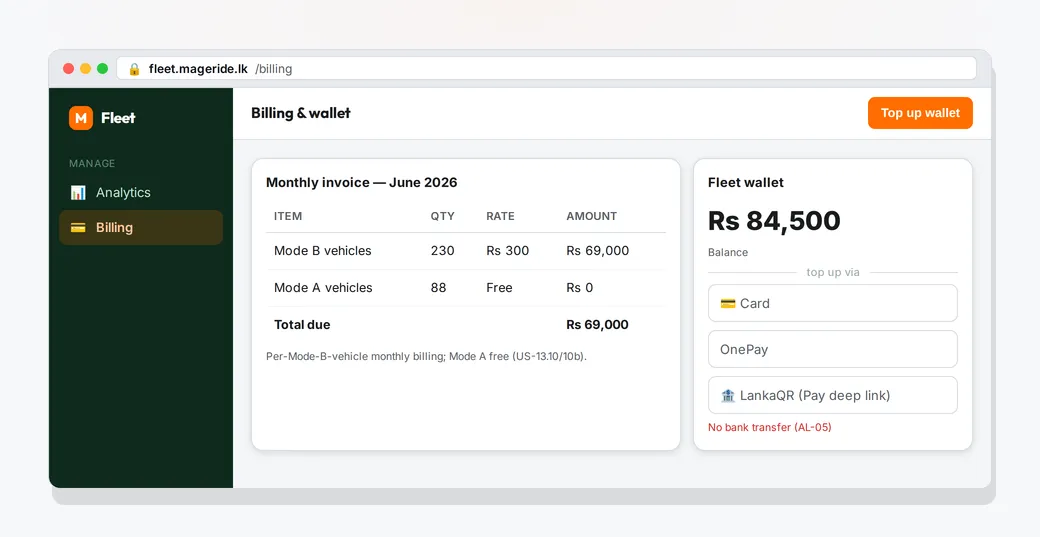
Your fleet’s billing and wallet in one place
In the guide: Billing — a monthly charge per private vehicle


Tracking without the app
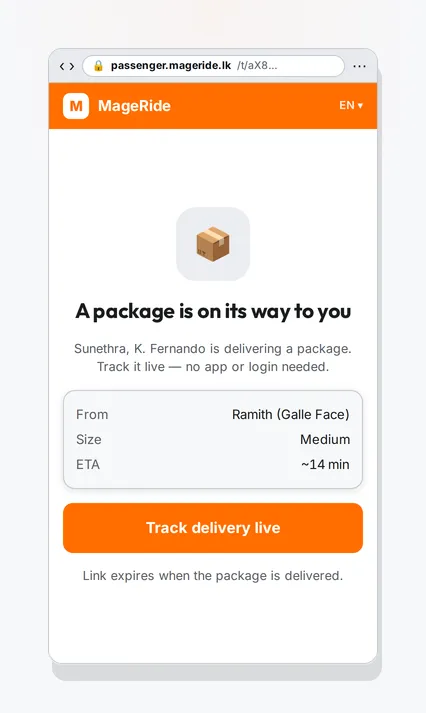
The tracking link that arrives by SMS — no app, no account
In the guide: Booking for someone else
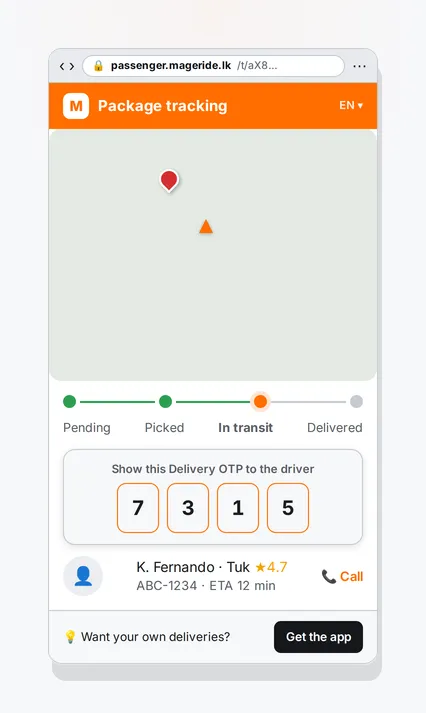
Following a package in a browser, without installing anything
In the guide: Sending a package
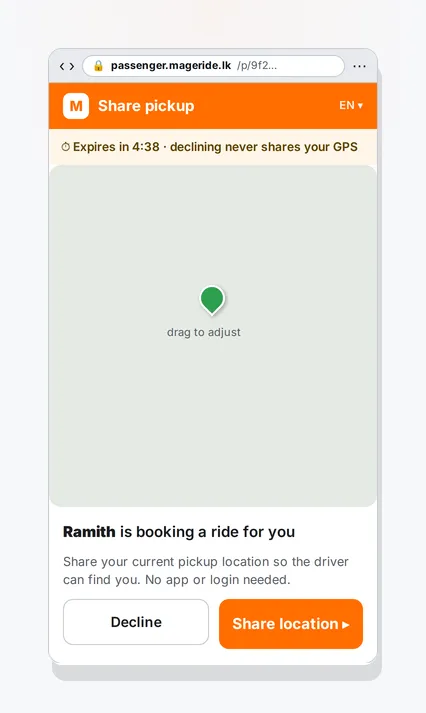
Confirming a pickup from a link, without signing in
In the guide: Booking for someone else
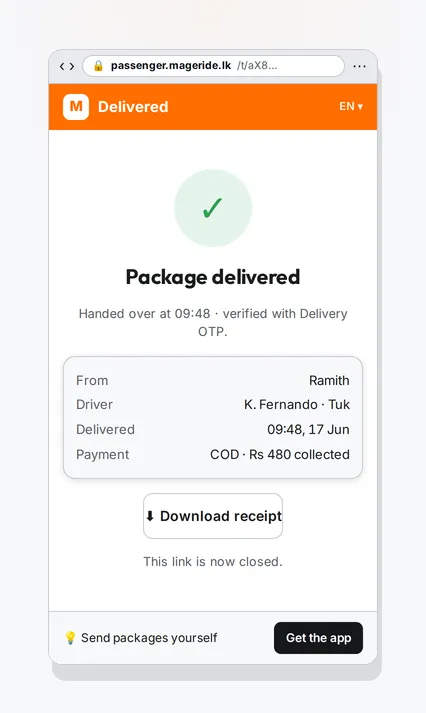
The confirmation that a package arrived
In the guide: Sending a package


